> ## Documentation Index
> Fetch the complete documentation index at: https://help.emotive.io/llms.txt
> Use this file to discover all available pages before exploring further.
# Connect Smile.io <> Emotive
> Learn how to sync your loyalty data from Smile to Emotive.
This article will walk you through the steps to integrate Smile \<> Emotive so that you can use your loyalty data for segments and targeting.
Note: We can only integrate if you're on the Plus plan or higher with Smile.io. Please contact [support@emotive.io](mailto:support@emotive.io) with any questions!
## Find your API Key in Smile.io
In order to set up the integration with Smile, you must have your Private Key (API Key) handy. To find your API keys, navigate to **Settings > Platform** in Smile.io.
## Install Smile.io on Emotive
* Navigate to [Integrations](https://www.emotiveapp.co/settings/integrations).
* Locate **Smile.io** and select **Add Integration**.
* Click **Install**.
* Enter your Private API Key (from the previous section) into the modal and click **Validate**.
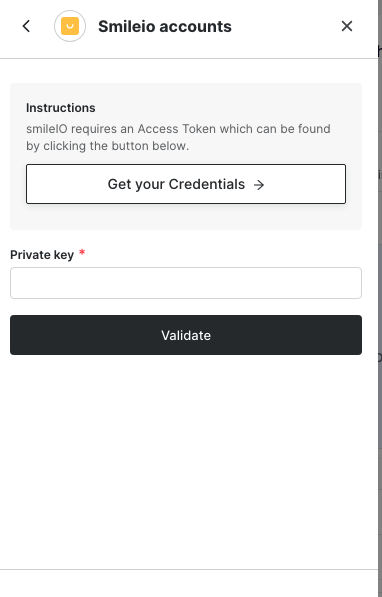 That's it! Your loyalty data will now sync from [Smile.io](http://Smile.io) to Emotive moving forward.