> ## Documentation Index
> Fetch the complete documentation index at: https://help.emotive.io/llms.txt
> Use this file to discover all available pages before exploring further.
# Connect Yotpo <> Emotive
> Learn how to sync Yotpo data into Emotive.
This guide will show you how to integrate your Emotive and Yotpo accounts so that your loyalty program can be used for segments and targeting in Emotive.
Note: Brands will need to have the GOLD plan, which enables setting Webhook URL. The value should be [https://webhooks.runalloy.com/yotpoLoyalty/:merchantUserId](https://webhooks.runalloy.com/yotpoLoyalty/:merchantUserId)
## Insert your Webhook into Yotpo
To get started, you'll need to insert your Emotive Webhook into Yotpo.
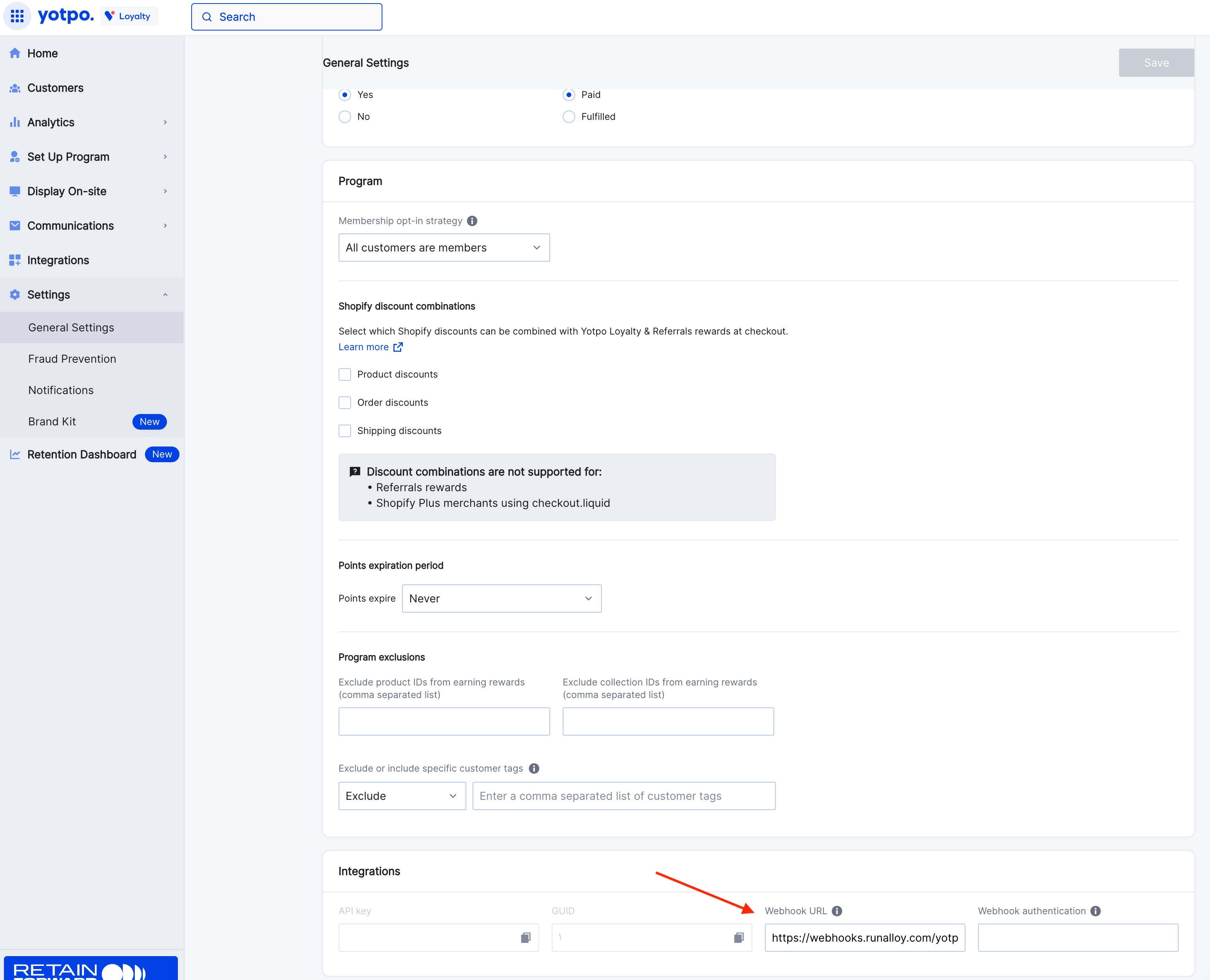
* Log into Yotpo and navigate to **Settings > General Settings.**
* Input your Webhook URL from Emotive, which will be:
`https://webhooks.runalloy.com/yotpoLoyalty/{MerchantUserId}`
 ## Install Yotpo on Emotive
* Navigate to [Integrations](https://www.emotiveapp.co/settings/integrations).
* Locate **Yotpo** and select **Add Integration**.
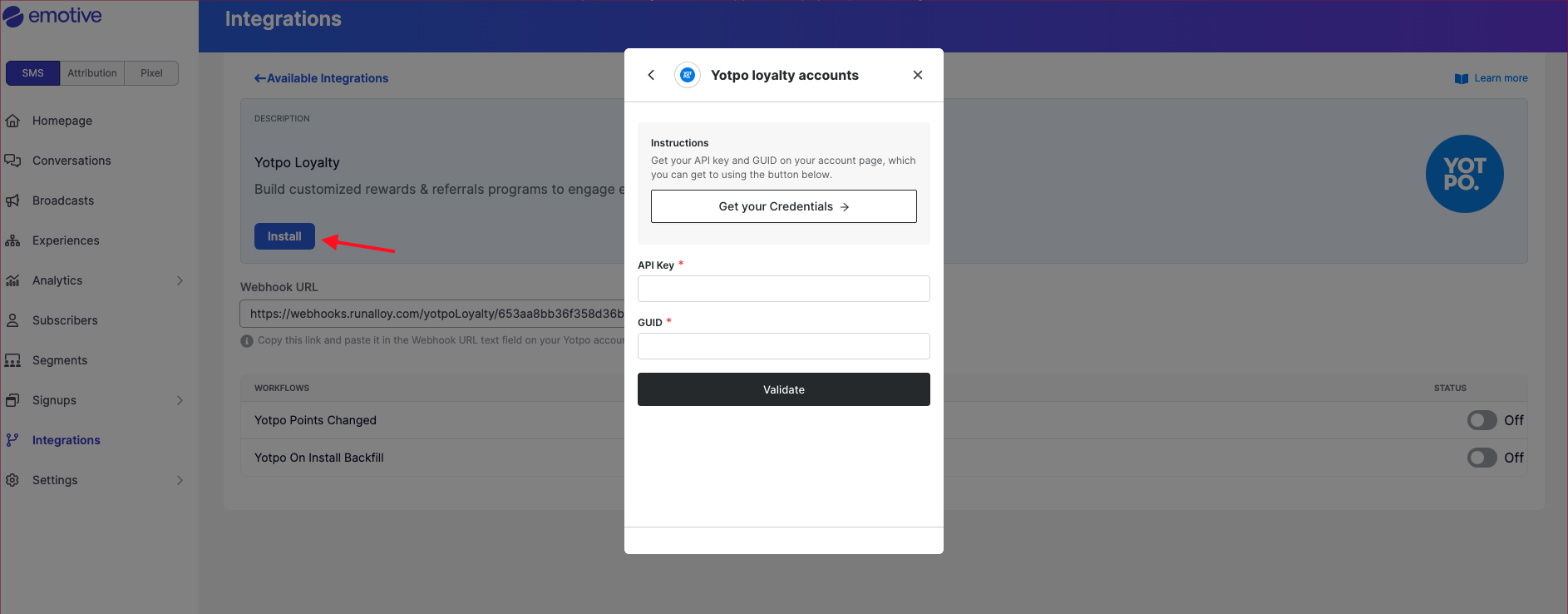
* Click **Install**.
* Input your API Key found in Yotpo (**Settings > General Settings > Integrations**).
* Input your GUID found in Yotpo (**Settings > General Settings > Integrations**).
* Select **Validate**.
## Install Yotpo on Emotive
* Navigate to [Integrations](https://www.emotiveapp.co/settings/integrations).
* Locate **Yotpo** and select **Add Integration**.
* Click **Install**.
* Input your API Key found in Yotpo (**Settings > General Settings > Integrations**).
* Input your GUID found in Yotpo (**Settings > General Settings > Integrations**).
* Select **Validate**.
 That's it! Your loyalty data will now sync from Yotpo to Emotive moving forward.