> ## Documentation Index
> Fetch the complete documentation index at: https://help.emotive.io/llms.txt
> Use this file to discover all available pages before exploring further.
# Connect Customer.io <> Emotive
> Collect email signups with Emotive and sync them to your Customer.io account.
If you use Customer.io for email and Emotive for SMS, you can collect signups using Emotive Popups and sync them directly to your Customer.io account.
## Create your API Keys in [Customer.io](http://Customer.io)
* Log into your [Customer.io](http://Customer.io) account and navigate to **Journeys**.
* Select **Data & Integrations** > **Integrations.**
* Under **Data in** > Select [**Customer.io**](http://Customer.io)\*\* API\*\*.
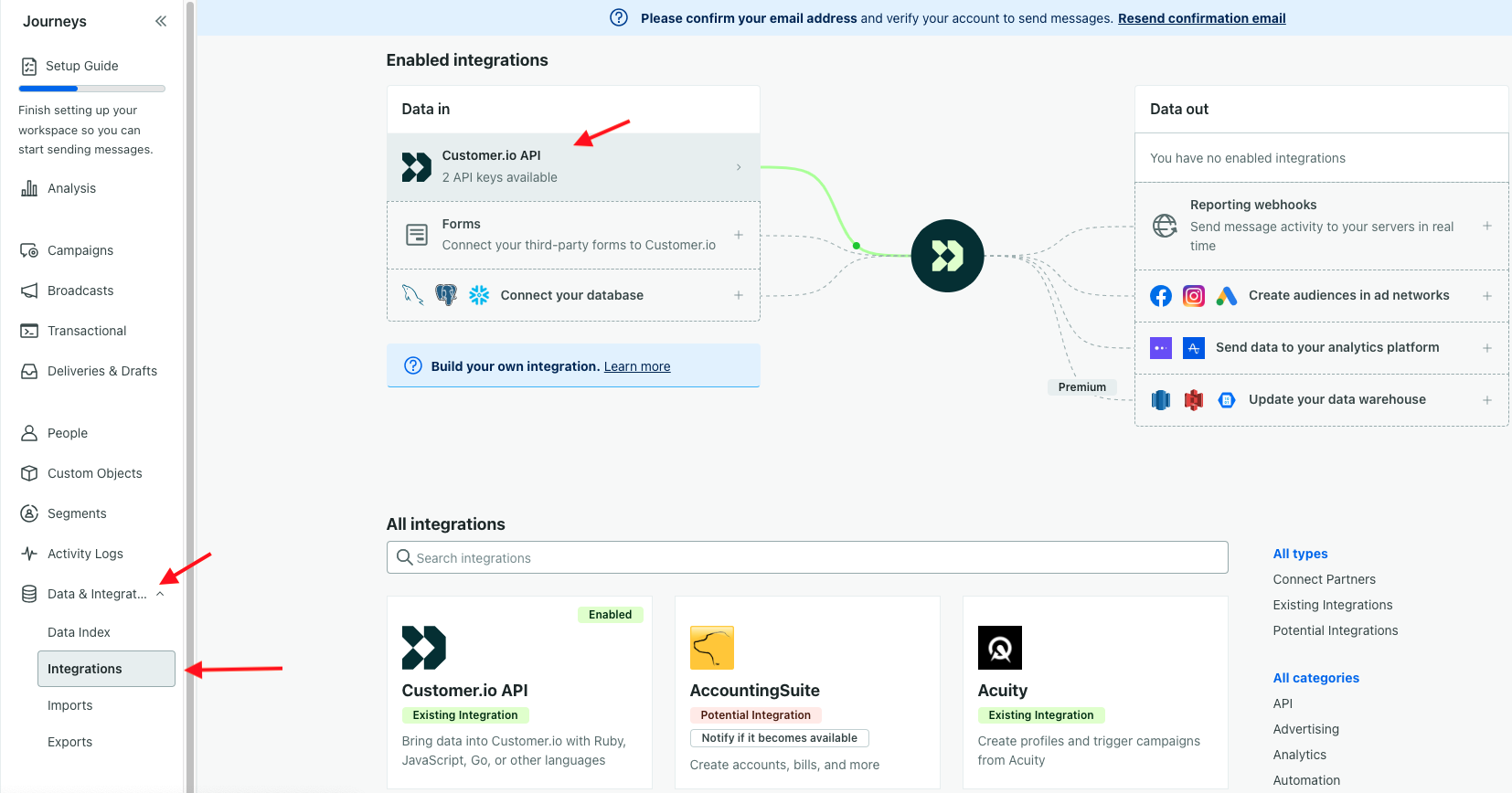 * Select **Manage API Credentials**.
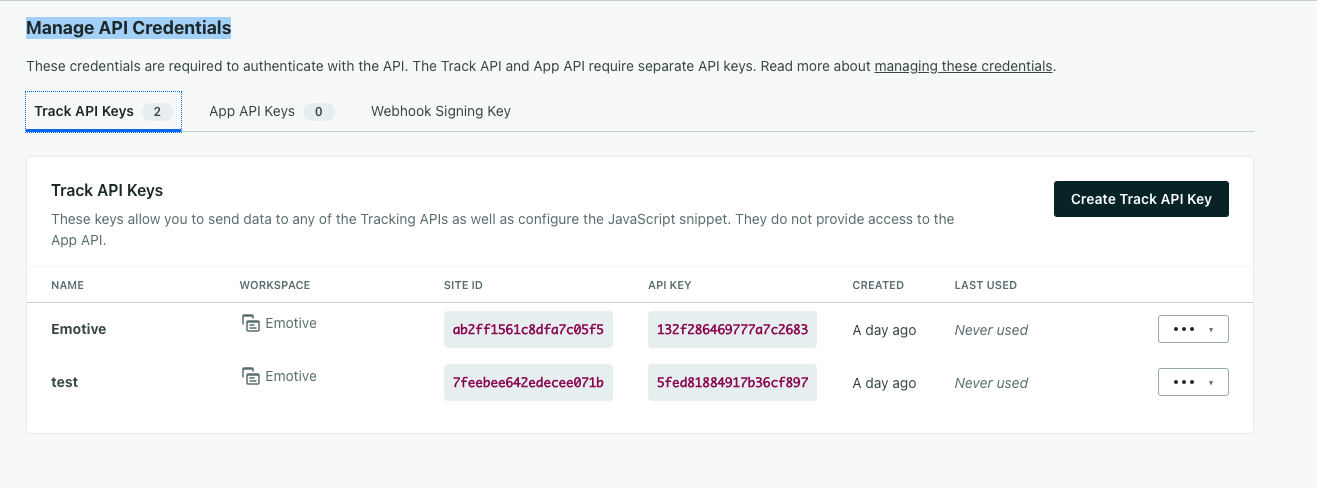
* Click **Create Track API Key**. Name your new tracking API Key "Emotive".
* Copy the *Site ID* for Emotive Integration.
* Select **Manage API Credentials**.
* Click **Create Track API Key**. Name your new tracking API Key "Emotive".
* Copy the *Site ID* for Emotive Integration.
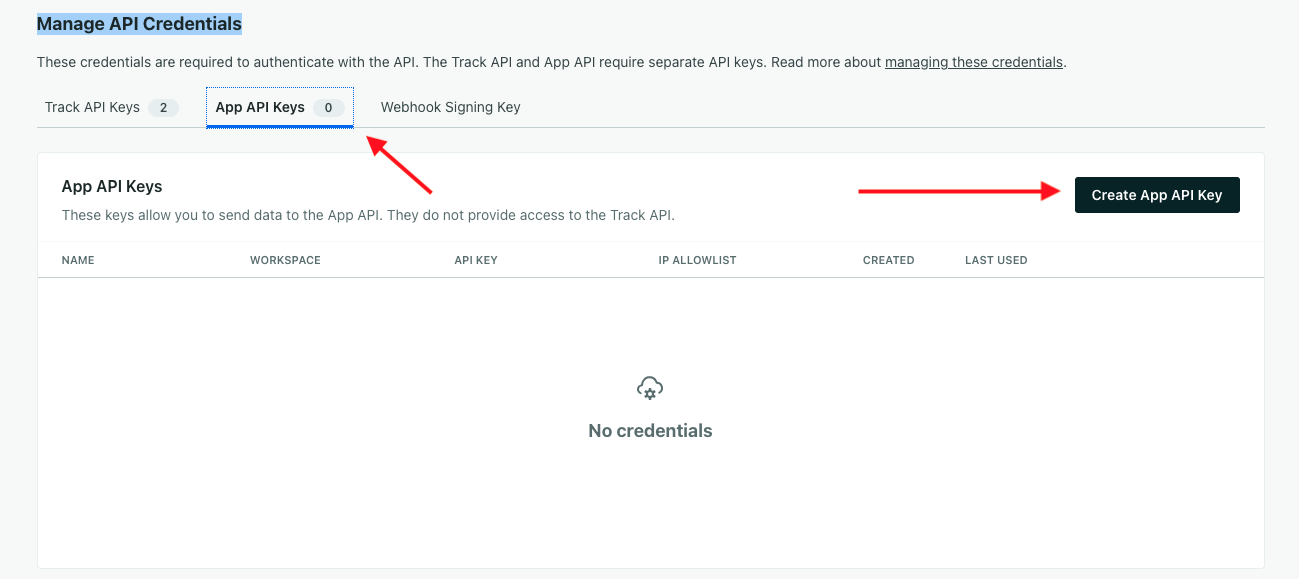
 * Navigate to *App API Keys.*
* Click **Create App API Key**.
* Copy the key created for your Emotive Integration.
* Navigate to *App API Keys.*
* Click **Create App API Key**.
* Copy the key created for your Emotive Integration.
 Connect your [Customer.io](http://Customer.io) Account
Now that you've created both your Tracking API Key + your App API Key, head back to your Emotive account to install [Customer.io](http://Customer.io).
* Navigate to [Integrations](https://www.emotiveapp.co/settings/integrations).
* Locate [Customer.io](http://Customer.io) and select **Add Integration**.
* Select **Install**.
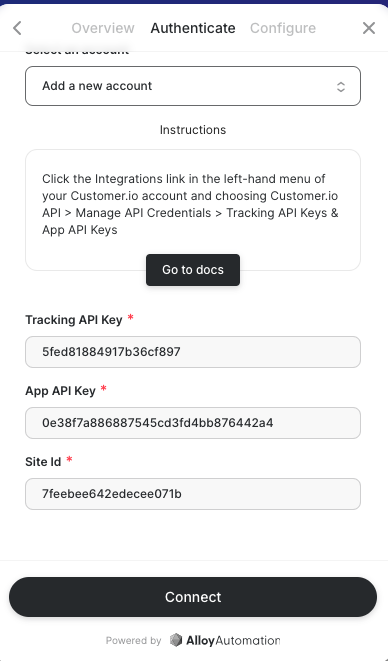
* Input the following credentials that you just created in [Customer.io](http://customer.io):
* Tracking API Key
* App API Key
* Site Id
* Select **Connect** to complete the integration.
Connect your [Customer.io](http://Customer.io) Account
Now that you've created both your Tracking API Key + your App API Key, head back to your Emotive account to install [Customer.io](http://Customer.io).
* Navigate to [Integrations](https://www.emotiveapp.co/settings/integrations).
* Locate [Customer.io](http://Customer.io) and select **Add Integration**.
* Select **Install**.
* Input the following credentials that you just created in [Customer.io](http://customer.io):
* Tracking API Key
* App API Key
* Site Id
* Select **Connect** to complete the integration.
 You've now successfully integrated [Customer.io](http://Customer.io) with Emotive!