Grow your list by adding an SMS Opt-In checkbox in your BigCommerce Checkout.
Looking to get SMS opt-in from your BigCommerce Checkout page so you can grow your list and trigger Abandoned Checkout campaigns? We can help. Submit your request to your Customer Success Manager.
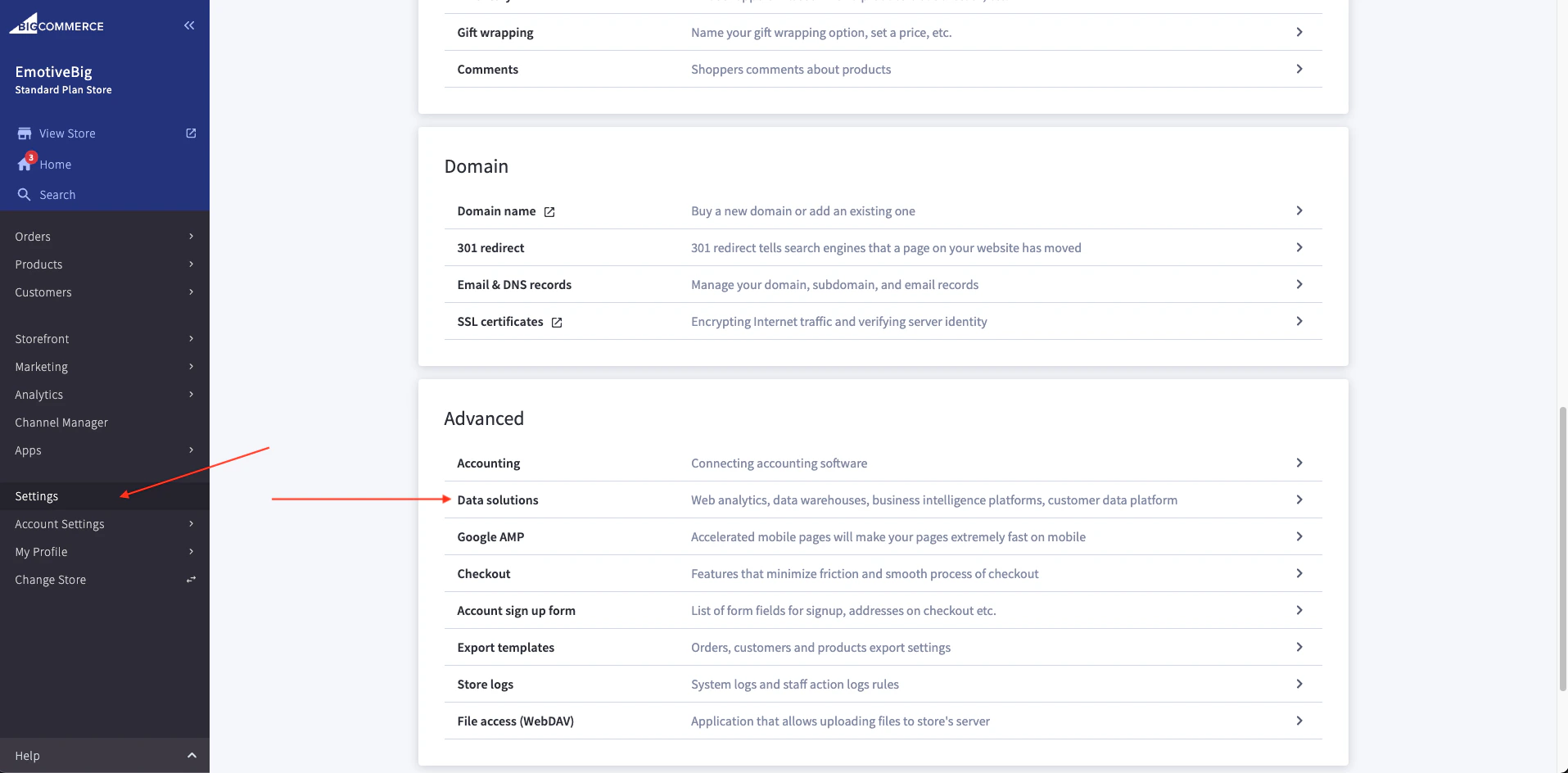
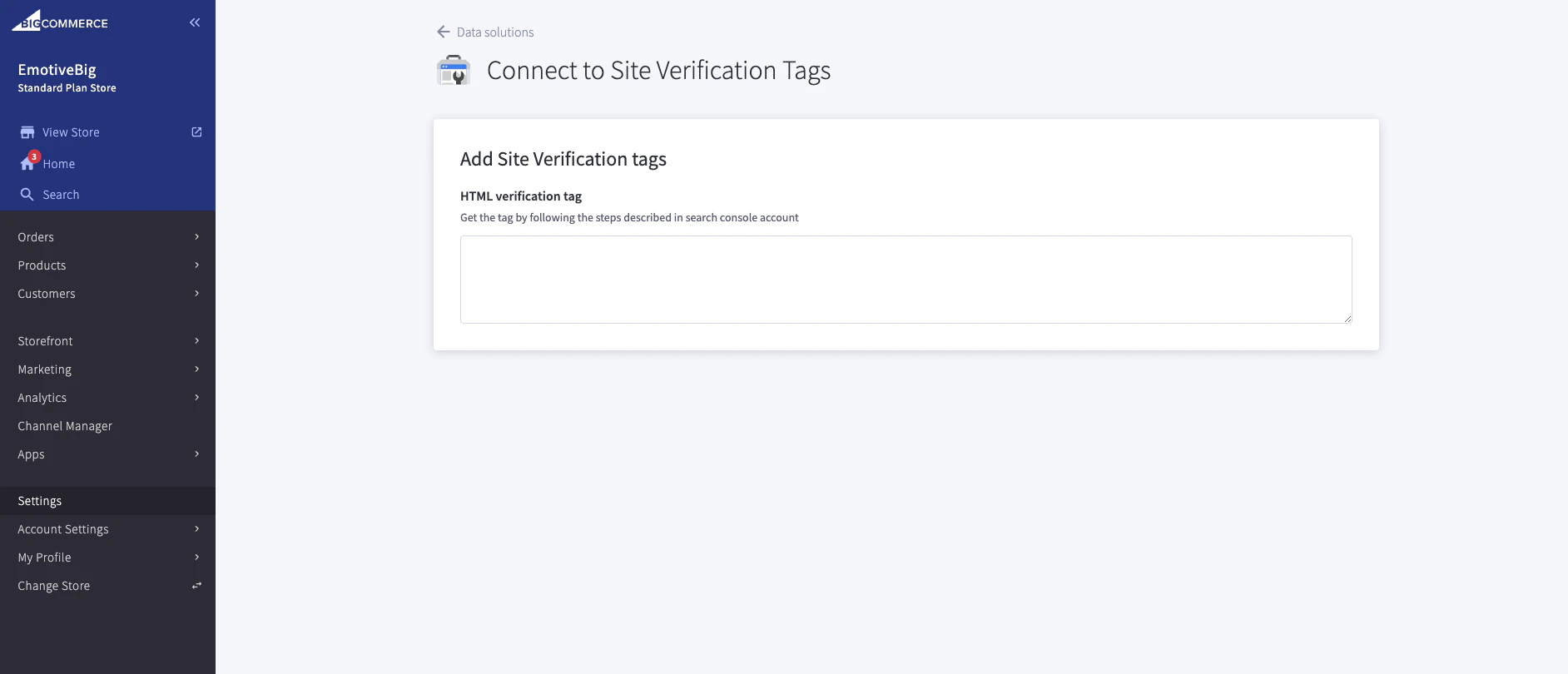
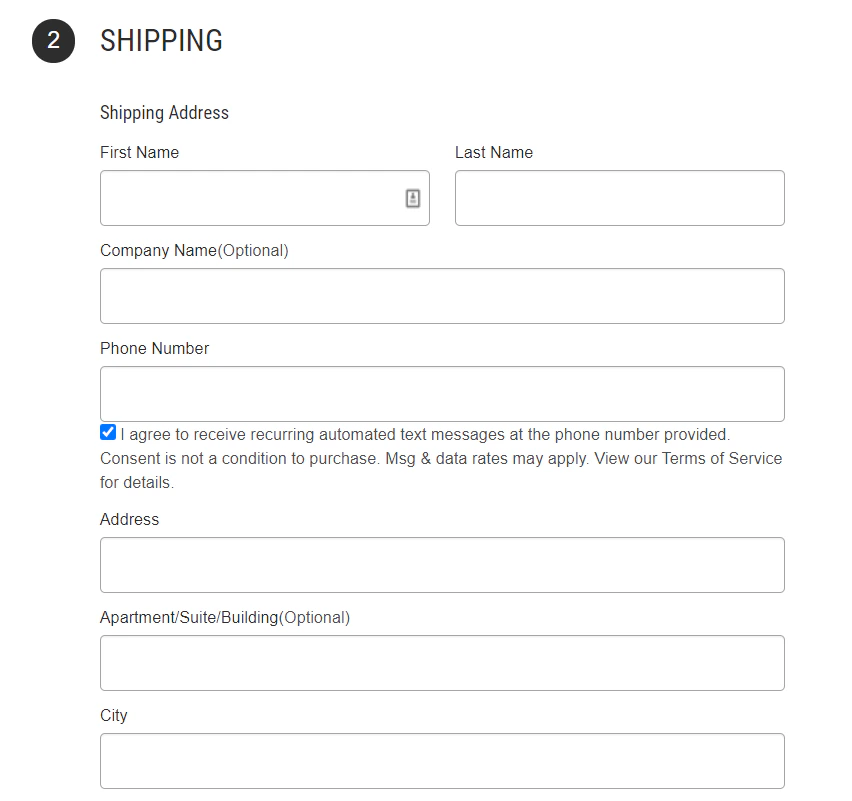
Log into your BigCommerce Portal and navigate to Settings > Advanced > Data Solutions to turn on your Site Verification Tags.Then, you will be provided a javascript specific to your site to paste into the Site Verification Tag Header.Once saved, you should find the SMS opt-in consent checkbox in your Checkout page. See below for example.If your customer enters their phone number and has the checkbox marked, this will help grow your subscriber list.
Assistant
Responses are generated using AI and may contain mistakes.