Please attempt this configuration at least 2 days in advance of your scheduled installation. These configurations must be completed in order to successfully install Emotive.Please make sure your developer is on the installation call with Emotive. They will need to grant us access to certain permissions. If you experience any issues, please contact us at installs@emotive.io for further assistance.
Authentication
Emotive respects the privacy and sensitivity of any content an organization working with us, and towards that we take great pains to ensure the security of your data. We use encoded token authorization over https to ensure security and maintain simplicity. To access the Emotive Open API, a client must add an “Authorization” HTTPS header to every API request and that header’s value must contain a valid API token. An API token is unique to each user in Emotive, and the Emotive team will be providing the token to you as a client. Once your token is generated, you can add it to each request with the following syntax: Authorization: Token <token> The Authorization Header must be included in every request. Example (Authentication) Authorization: Token dXNlck5hbdfdr4WVWfssFg346vbcv==Content Types for Data Creation
Resource Creation
For any request that contains JSON in the request body (POST or PUT operations), we support a content type of “application/json”. You should then expect any content in the response body to also be returned as JSON. For example the HTTP request headers would look like: Accept: application/json Content-Type: application/json; charset=UTF-8Http Response Code Conventions
- 2xx response codes: Generally returned when the request resulted in a successful response. The response body usually contains the expected resource that was requested or was created as a result of the request.
- 4xx response codes: Generally a client-generated error, which means the client made a request that is either malformed, invalid or not allowed for the given resource at that time. The response body will contain an “error” attribute explaining what happened and how to correct, if applicable.
Status Codes
Success Codes
Client Error Codes
Server Error Codes
Orders API
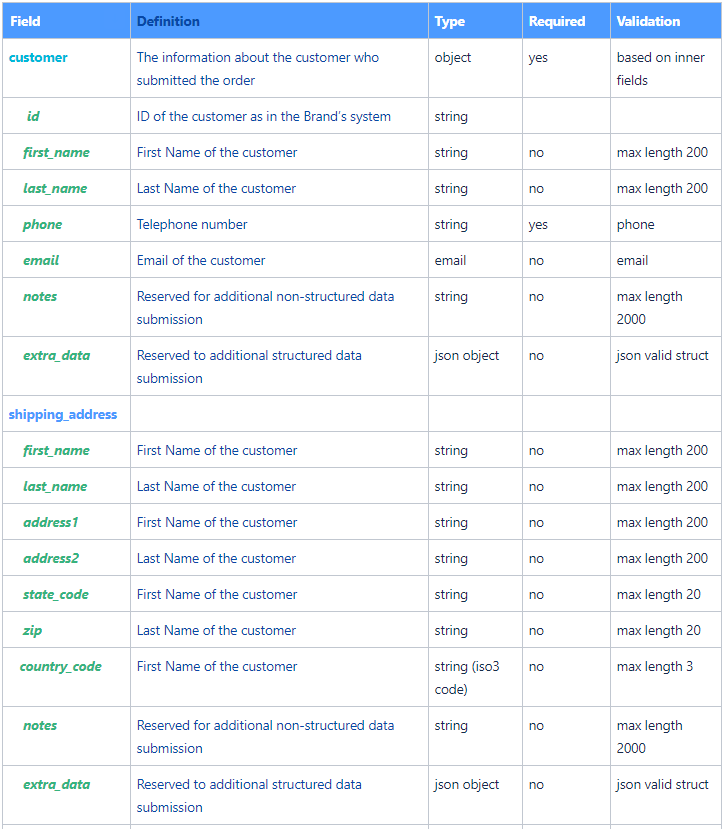
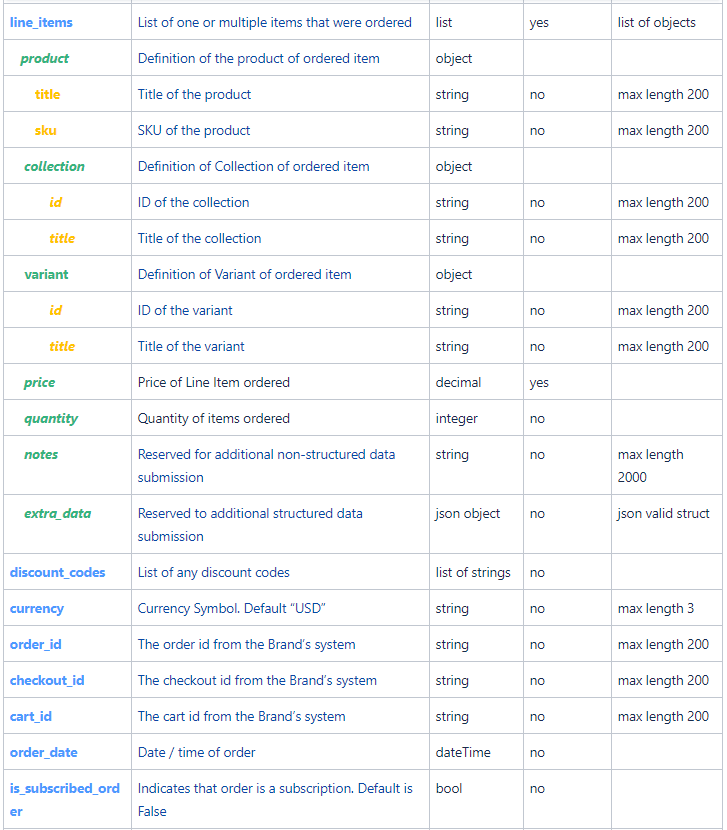
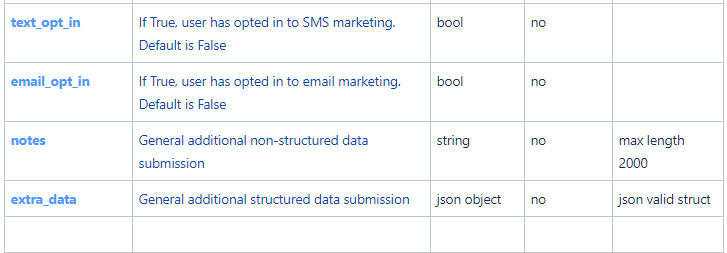
https://api.emotiveapp.co/ecommerce/v1/orders/Request Parameters
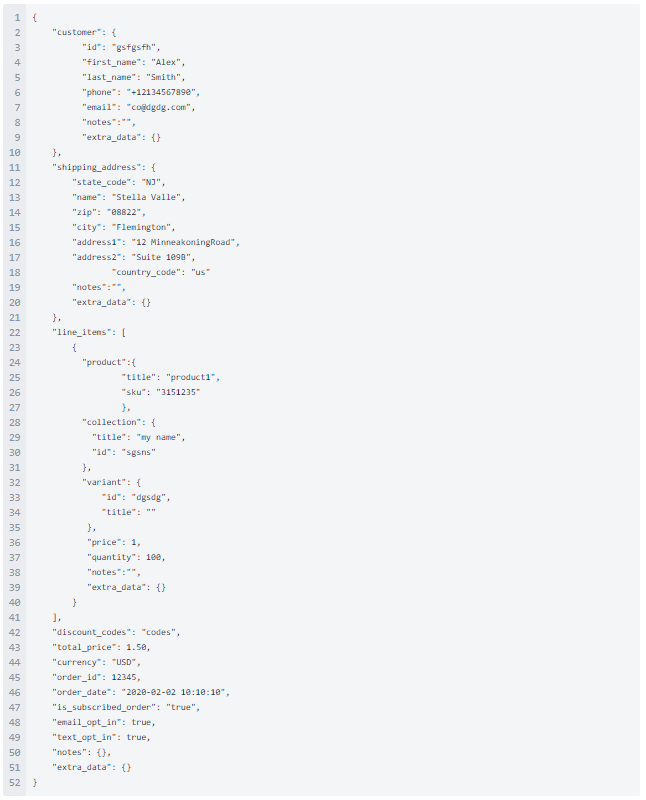
Sample Order Request
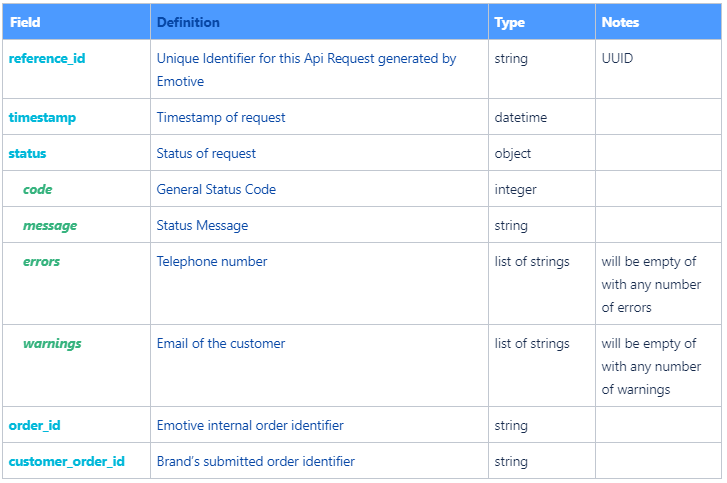
Response Parameters
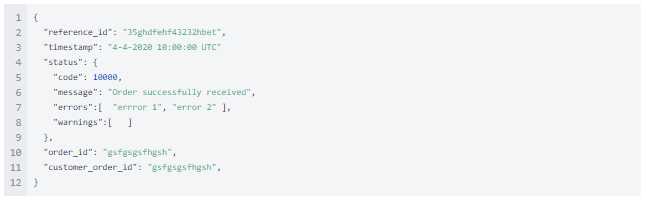
Sample Order Response