Features of the Integration
Our goal with our Freshdesk integration is to allow you to manage all of your Emotive conversations right from within Freshdesk.- New conversations that happen in Emotive create tickets in Freshdesk
- Opt out shoppers directly from Freshdesk via keyword #optout or #opt-out
- All customer responses from Emotive are added to the same, open ticket in Freshdesk
- Conversations that Emotive starts with customers will sync to provide context for where the conversation was handed off to Freshdesk
- Responding to a ticket in Freshdesk sends a message via Emotive to the customer
- Closing a ticket in Freshdesk closes a Conversation in Emotive
Install Freshdesk on Emotive
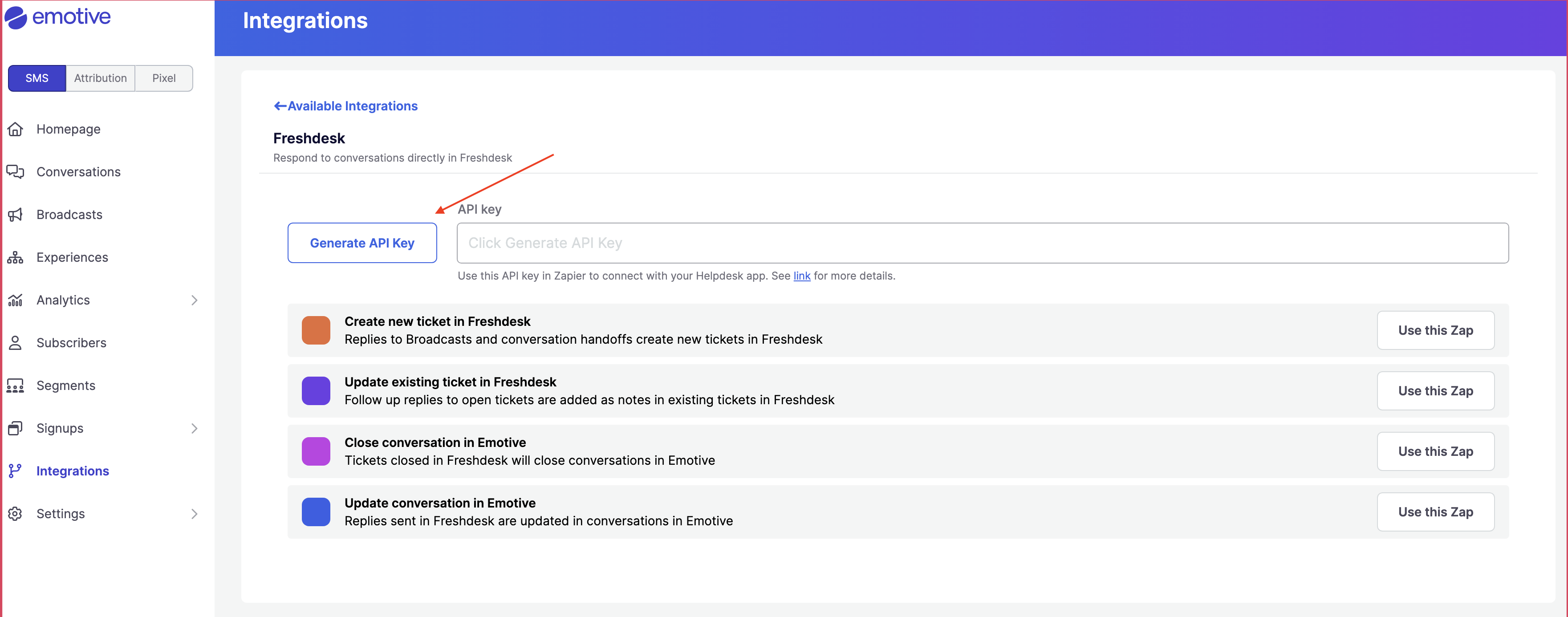
- Navigate to Integrations.
- Locate Freshdesk and select Add Integration.
- Click Generate API Key.
- Copy the new API Key on this screen.
Complete Install in Zapier
Below your new API Key in Emotive, you’ll find all available Zap flows. Click on Try thiz Zap for each one.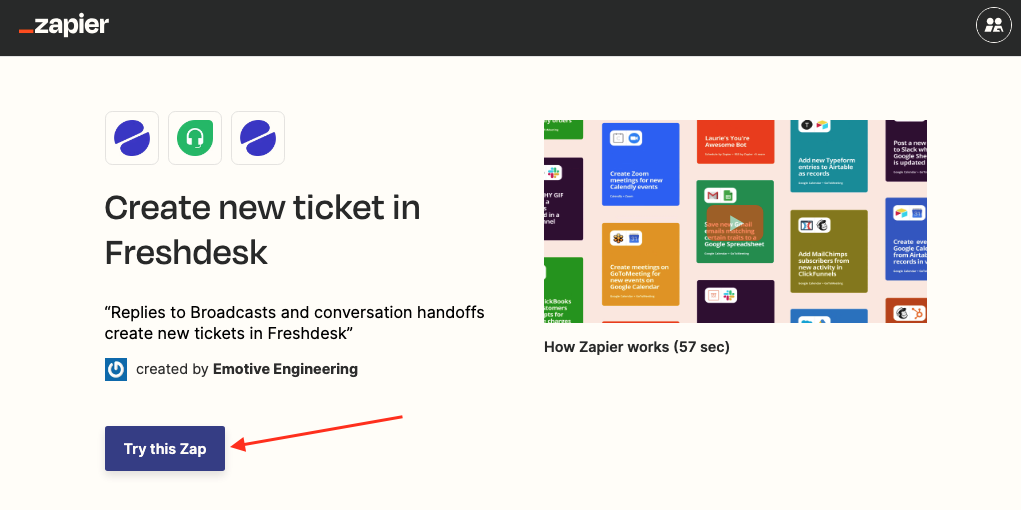
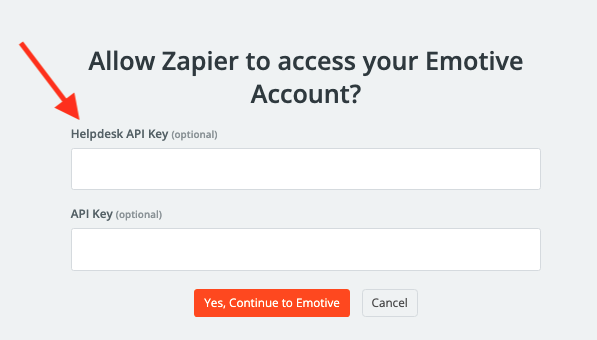
- Paste the API Key that you just generated in Emotive into the Helpdesk API Key field.
- Click Yes, Continue to Emotive.
- If needed, input your Freshdesk credentials to authenticate.