Features of the Integration
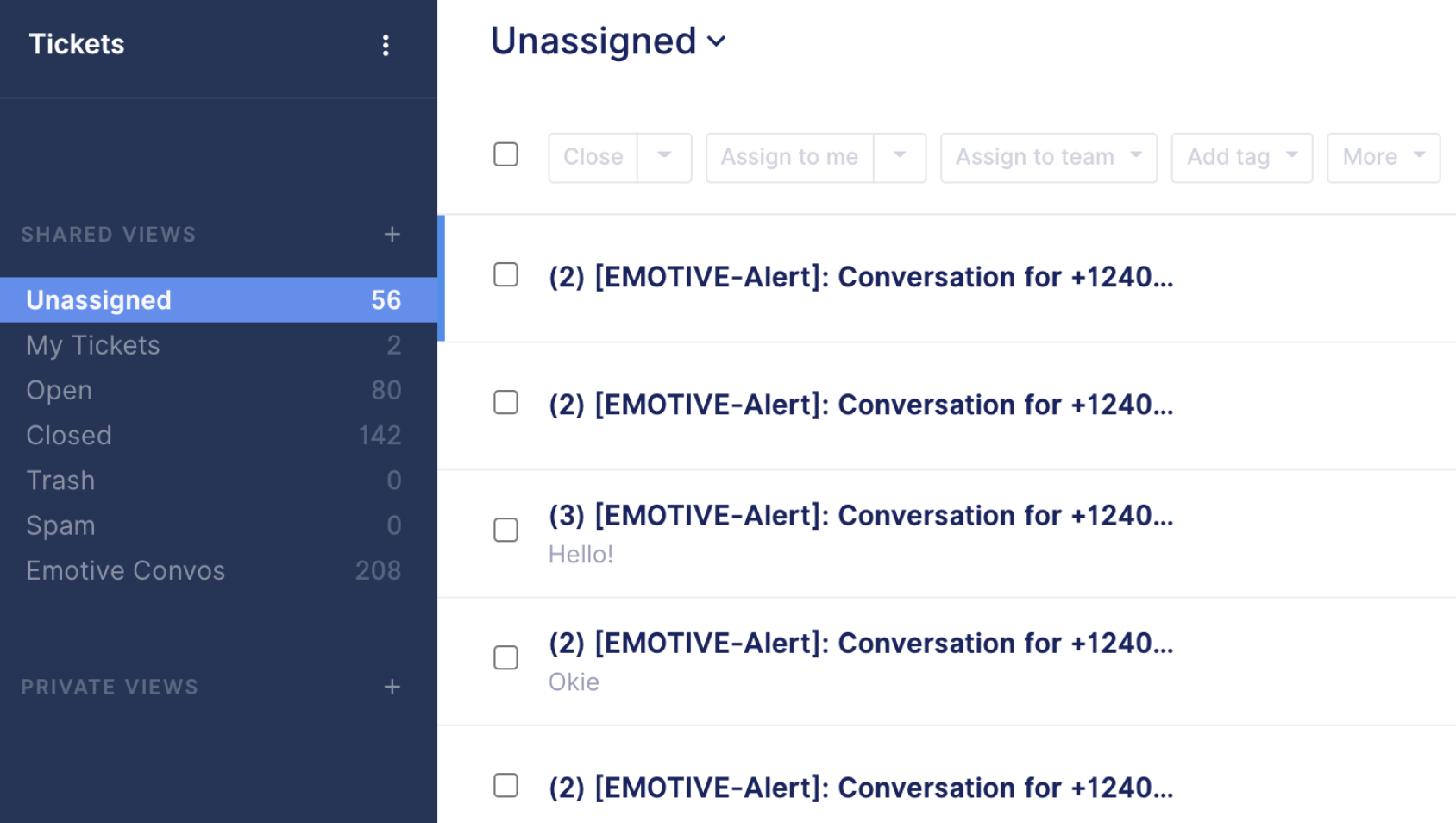
Our goal with our Gorgias integration is to allow you to manage all of your Emotive conversations right from within Gorgias.- New conversations that happen in Emotive create tickets in Gorgias
- All customer responses from Emotive are added to the same, open ticket in Gorgias
- Conversations that Emotive starts with customers will sync to provide context for where the conversation was handed off to Gorgias
- Responding to a ticket in Gorgias sends a message via Emotive to the customer
- Closing a ticket in Gorgias closes a Conversation in Emotive
- When we learn the customers name from an order or an abandoned checkout, we’ll update the user profile in Gorgias with their first and last name on the next ticket that is opened
- All new tickets are tagged emotive for easier filtering and conversation management in Gorgias
- Sending images to a customer via Gorgias
- Opting out a customer via Gorgias commands
Obtain REST API Credentials from Gorgias
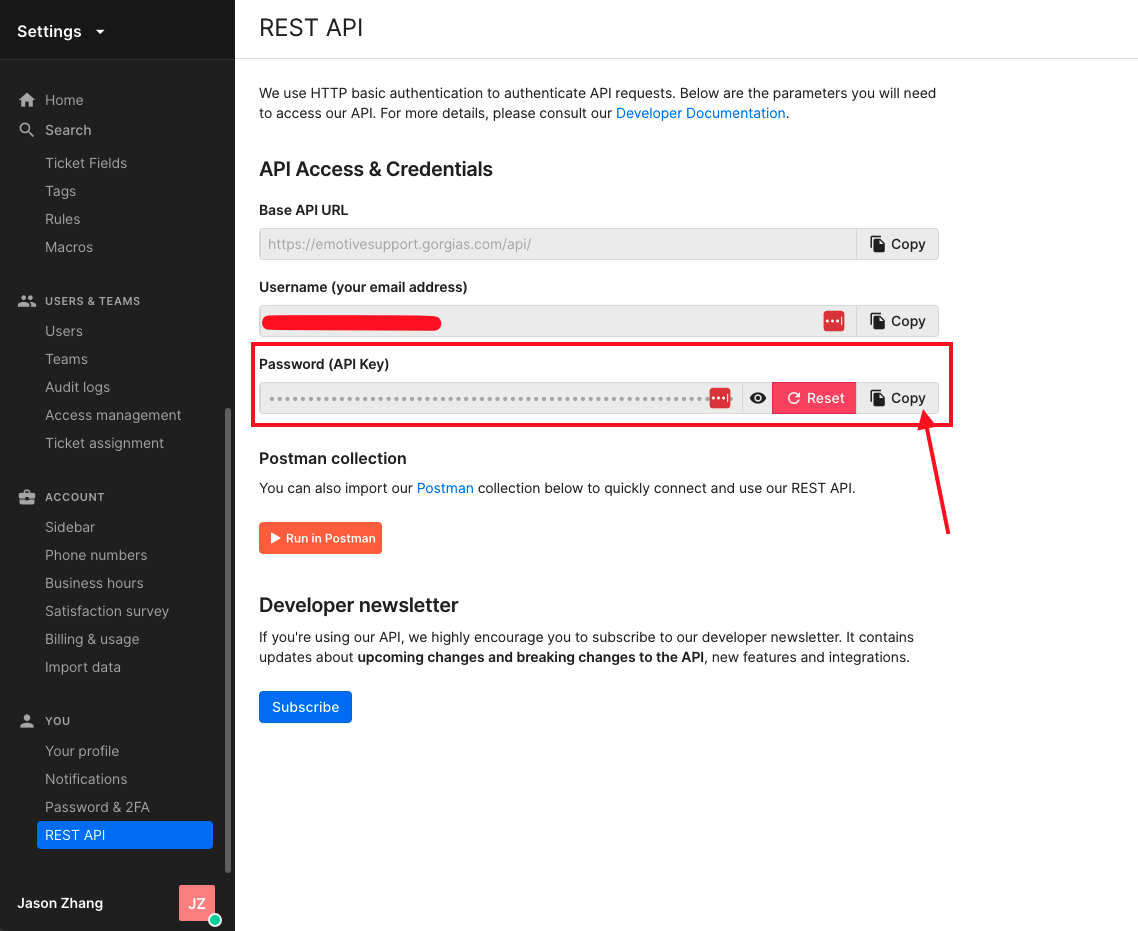
- Log into Gorgias and navigate to Settings > Rest API.
- Copy the following credentials from Gorgias:
- Base API URL
- Username
- Password (API Key)
- Create a view in your Gorgias account specifically for Emotive tickets. All tickets will be tagged with “emotive”.
Install Gorgias on Emotive
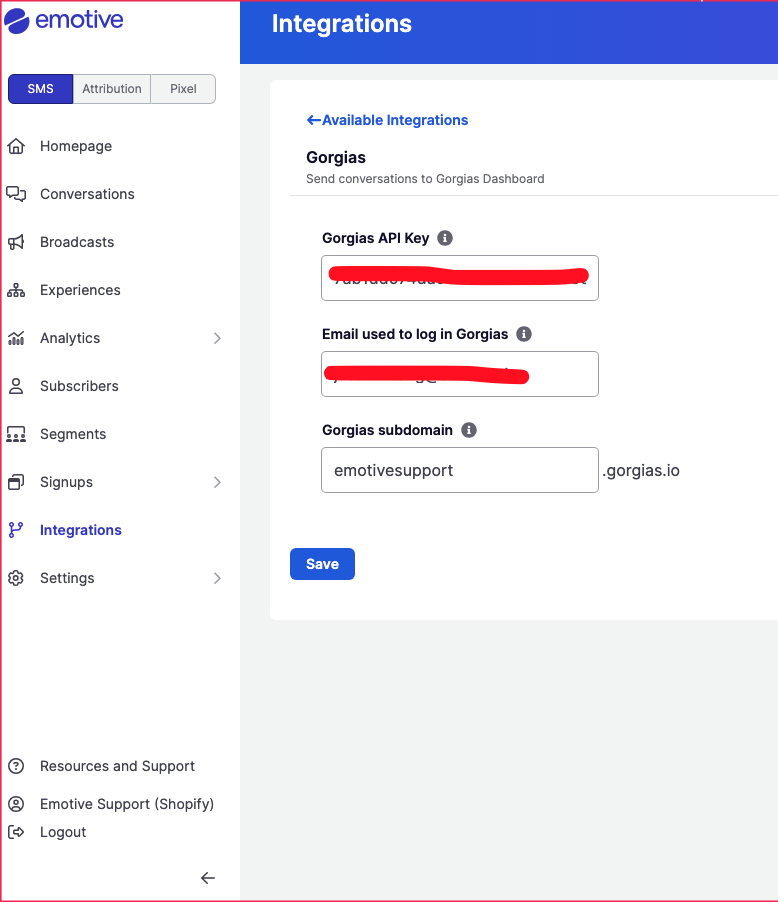
- Navigate to Integrations.
- Locate Gorgias and select Add Integration.
- Paste the following credentials from Gorgias:
- API Key
- Email (your Gorgias username)
- Gorgias Subdomain (your subdomain from the Base API URL)
- Click Save.