Note: Brands will need to have the GOLD plan, which enables setting Webhook URL. The value should be https://webhooks.runalloy.com/yotpoLoyalty/:merchantUserId
Insert your Webhook into Yotpo
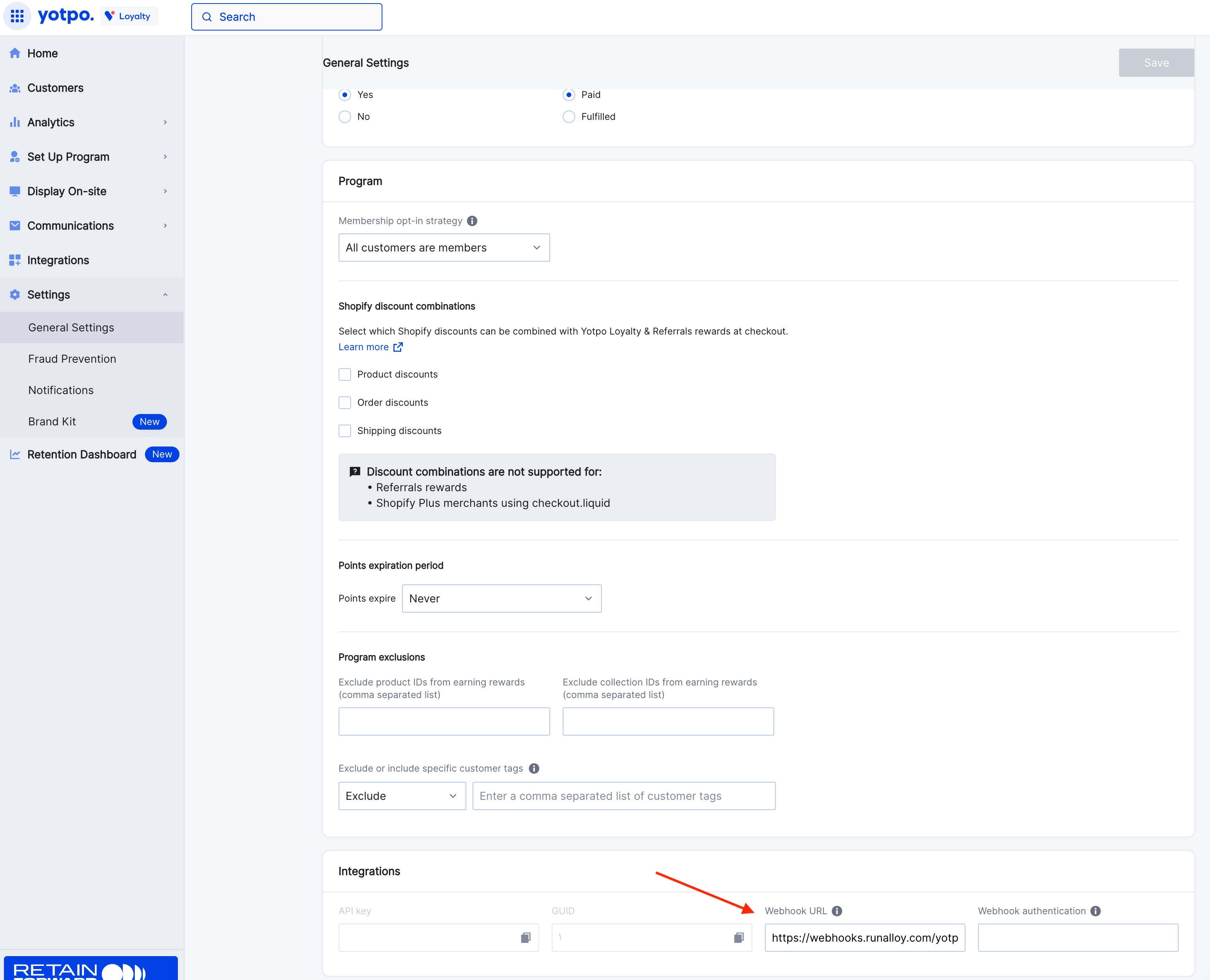
To get started, you’ll need to insert your Emotive Webhook into Yotpo.- Log into Yotpo and navigate to Settings > General Settings.
- Input your Webhook URL from Emotive, which will be:
https://webhooks.runalloy.com/yotpoLoyalty/{MerchantUserId}
Install Yotpo on Emotive
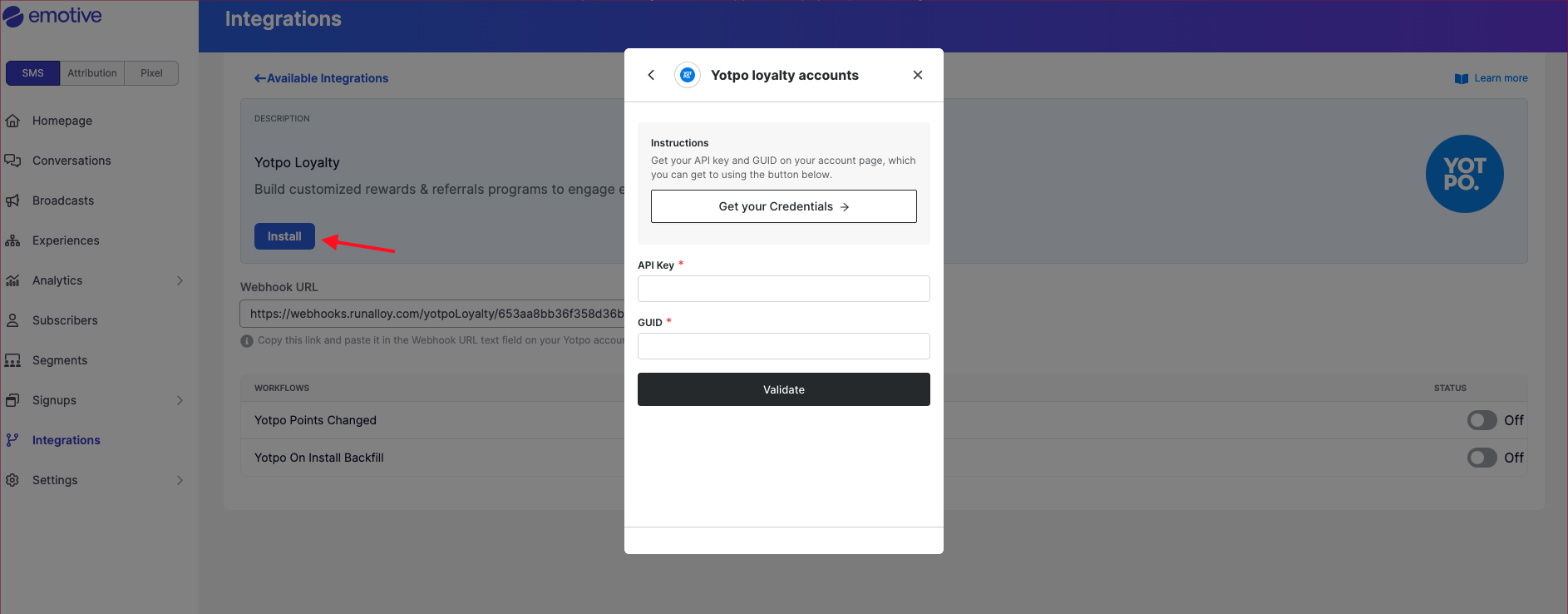
- Navigate to Integrations.
- Locate Yotpo and select Add Integration.
- Click Install.
- Input your API Key found in Yotpo (Settings > General Settings > Integrations).
- Input your GUID found in Yotpo (Settings > General Settings > Integrations).
- Select Validate.