

Install Klaviyo on Emotive
- Navigate to Integrations.
- Locate Klaviyo and select Add Integration.
- Insert your Klaviyo Public API Key.
- Insert your Klaviyo Private API Key.
- Configure your preferences under the Sync Data section.
- Click + Import if you’d like to import any Lists from Klaviyo.
- Save your changes.
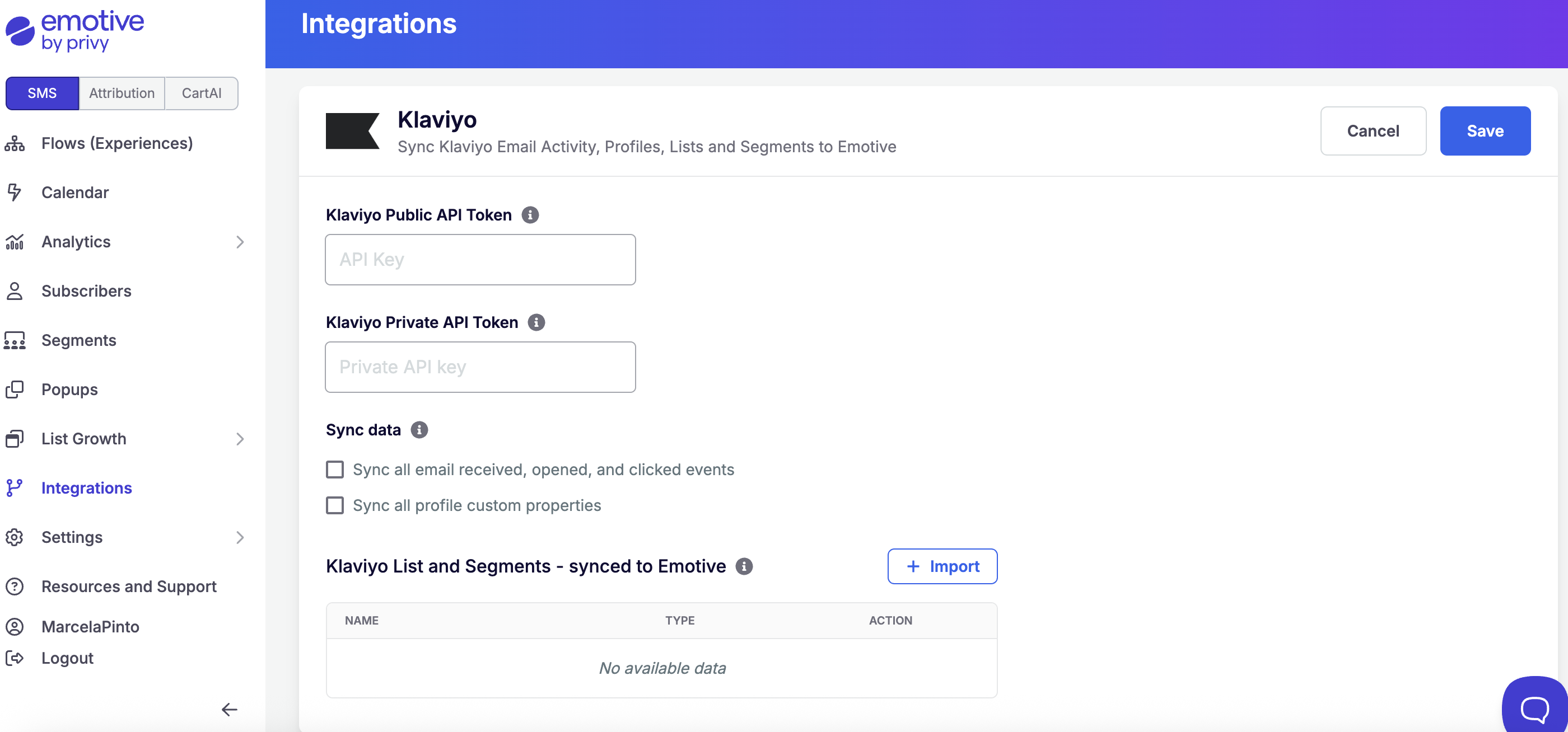
If you opt to sync any Klaviyo Lists to Emotive, they will appear in your Emotive segment list for both your Broadcasts and Flows.
Syncing SMS Contacts from Klaviyo Forms
Before you get started with syncing SMS signups from Klaviyo to Emotive, you will need to:- Enable Klaviyo SMS
- Create a Klaviyo List for Emotive Subscribers
Create a Signup Flow in Klaviyo
- Log into Klaviyo and navigate to Sign-up Forms.
- Edit Sign-up Forms.
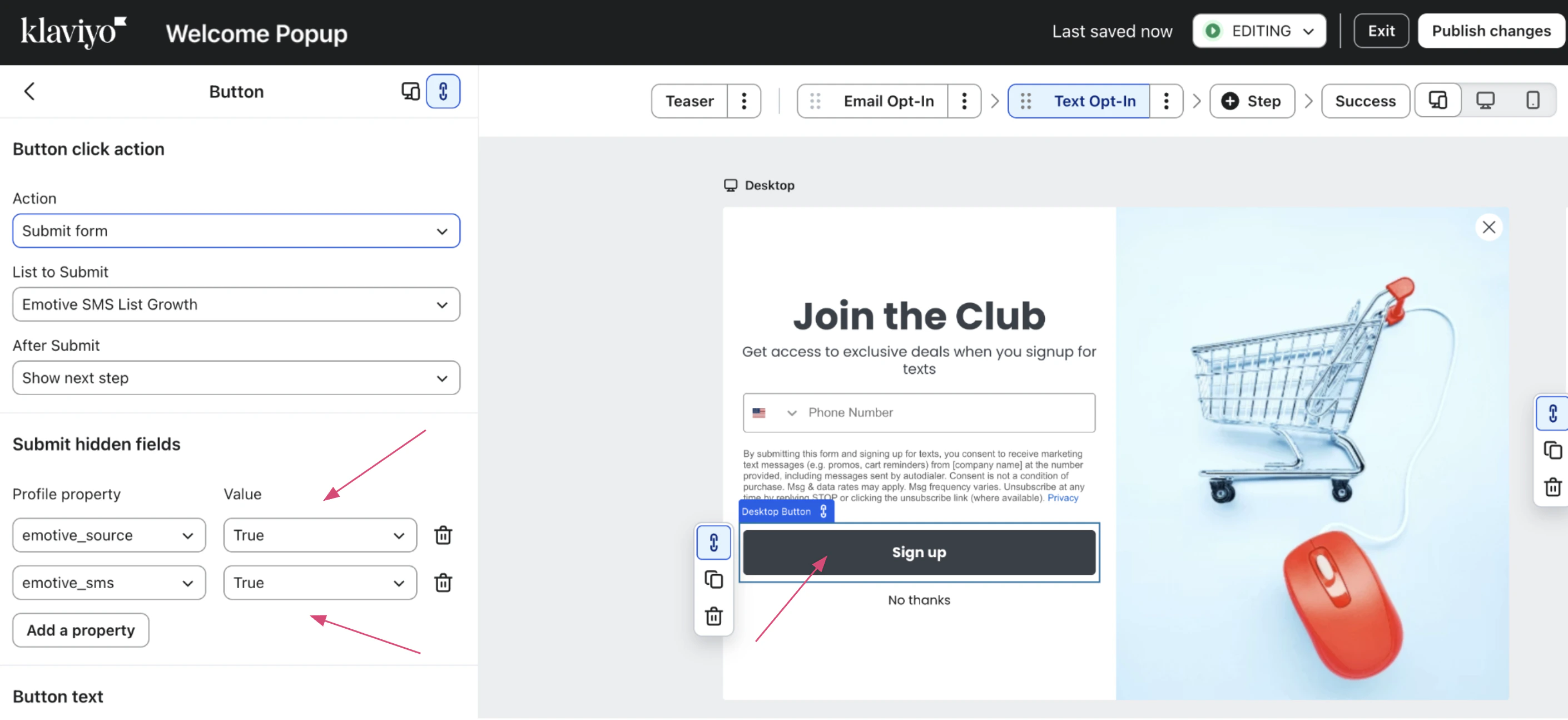
- Set up the phone number step’s Button Action to “Submit Form”.
- Your List to Submit should be the one you will connect to Emotive.
- Add 2 new Profile Properties.
- Name = “emotive_source”
- Value = “true”
- Name = “emotive_sms”
- Value = “true”
- Name = “emotive_source”
- Publish changes.
Configure your List Settings
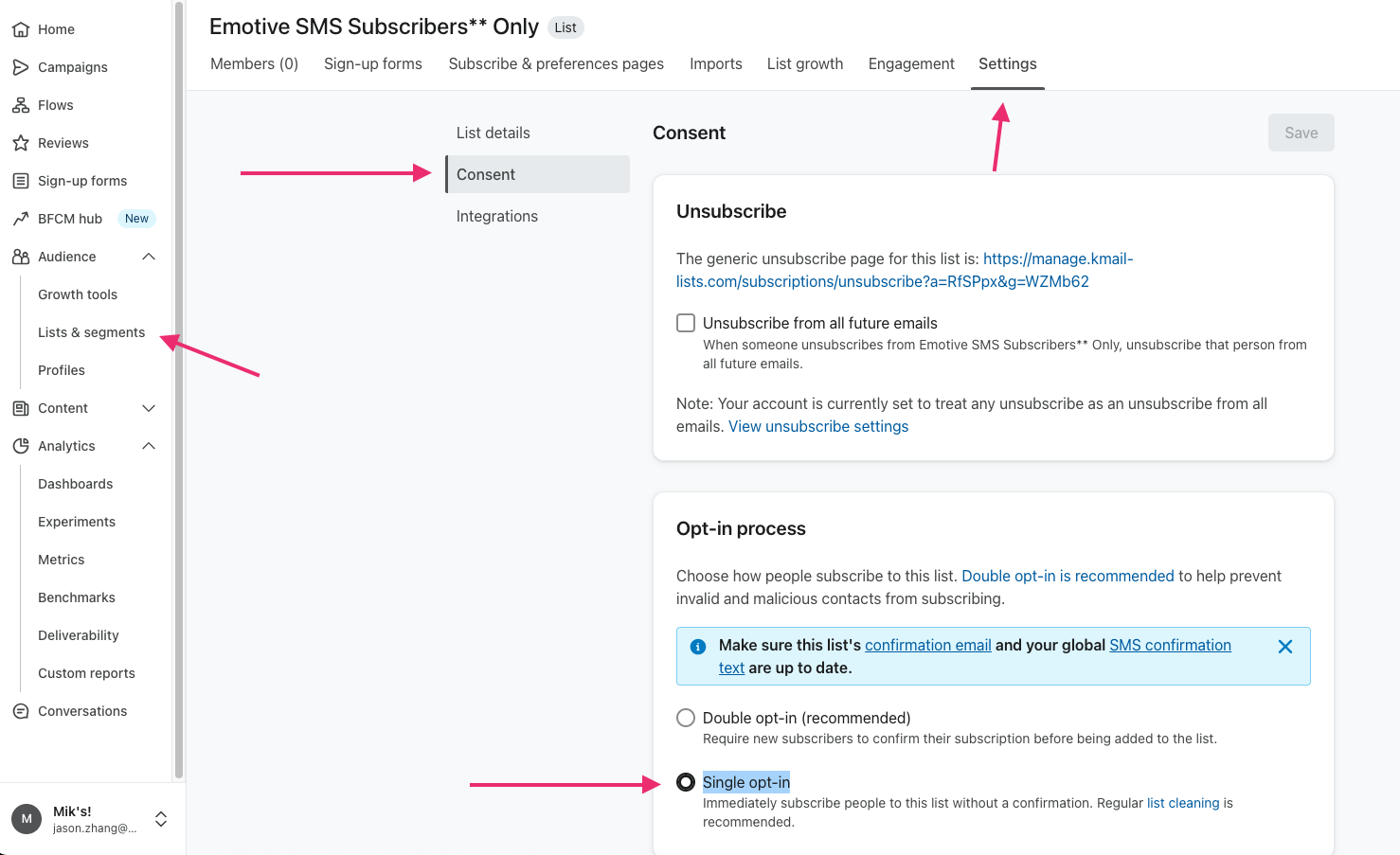
- Navigate to your Lists & Segments in Klaviyo.
- Edit your new Emotive subscribers List.
- Navigate to Settings > Consent.
- In your Opt-In Process settings, select Single opt-in.
- Save your changes.
Create a List Growth Integration
- Log into Emotive.
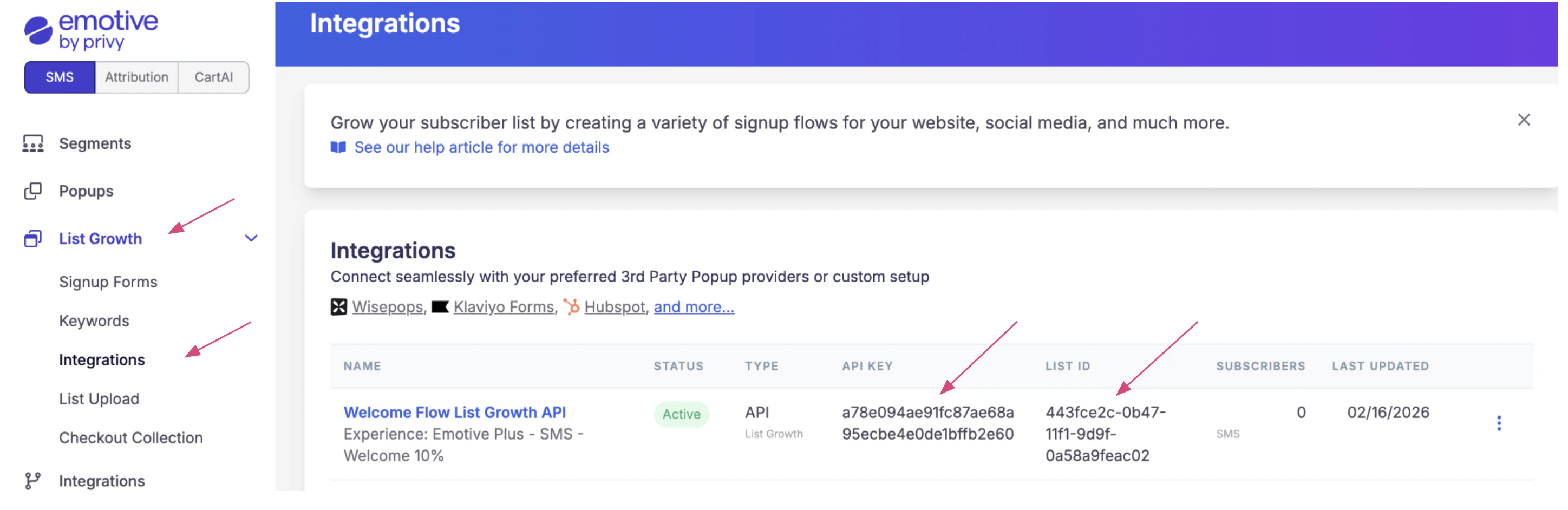
- Go to List Growth > Integrations.
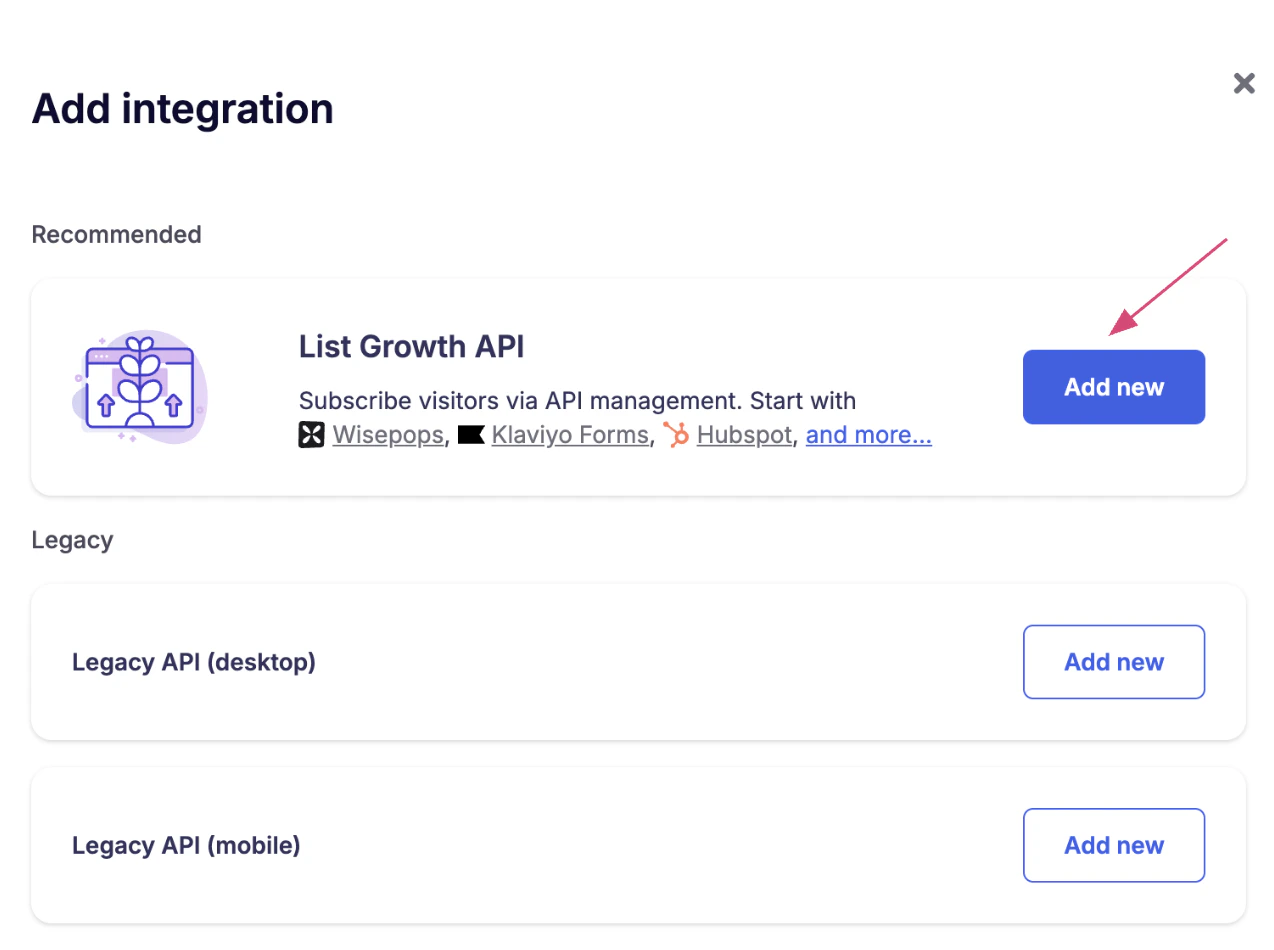
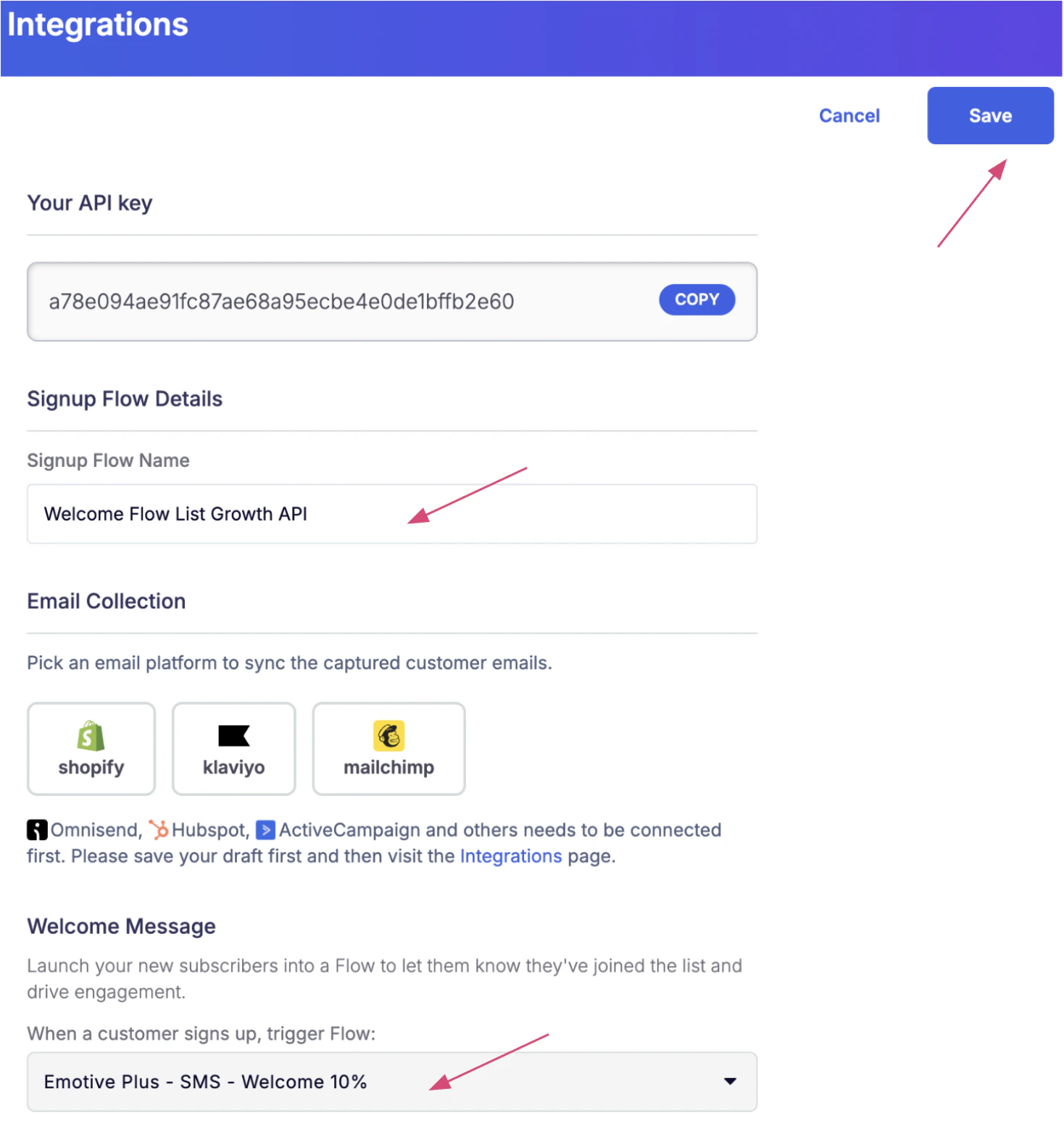
- Click on Add New.
- Select the first option and click on Add New.
- Name your integration.
- Select the Welcome Flow in Emotive you want to be sent out when people subscribe. You can select this under the Welcome Message settings.
- Save your changes.
Create a Flow in Klaviyo
- Navigate to Flows.
- Select Create flow.
- Select Build your own.
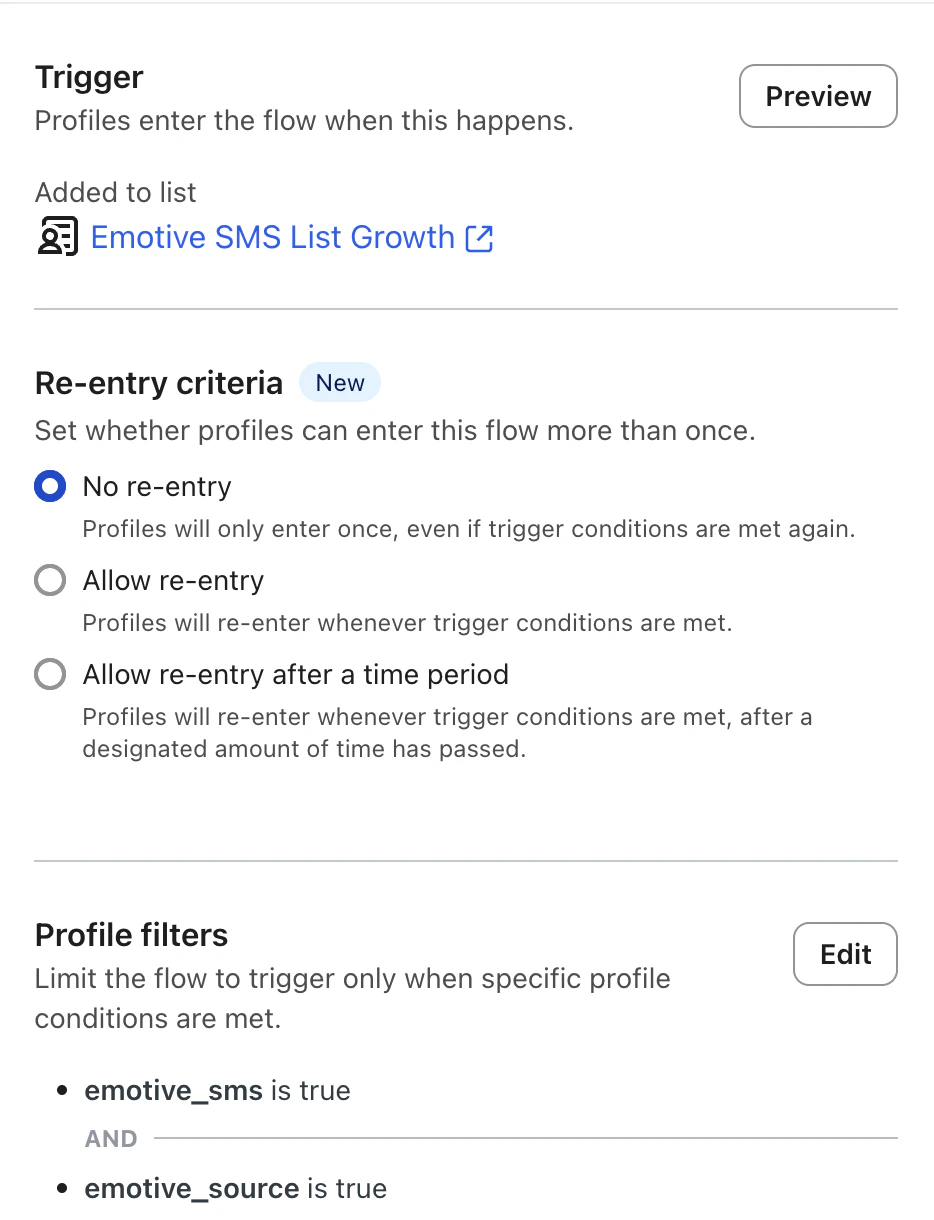
- Under your Trigger, select the same list you used in the phone collection step of your flow under your Added to List setting.
- Add the following Profile Filters:
- emotive_source is “true”
- emotive_sms is “true”
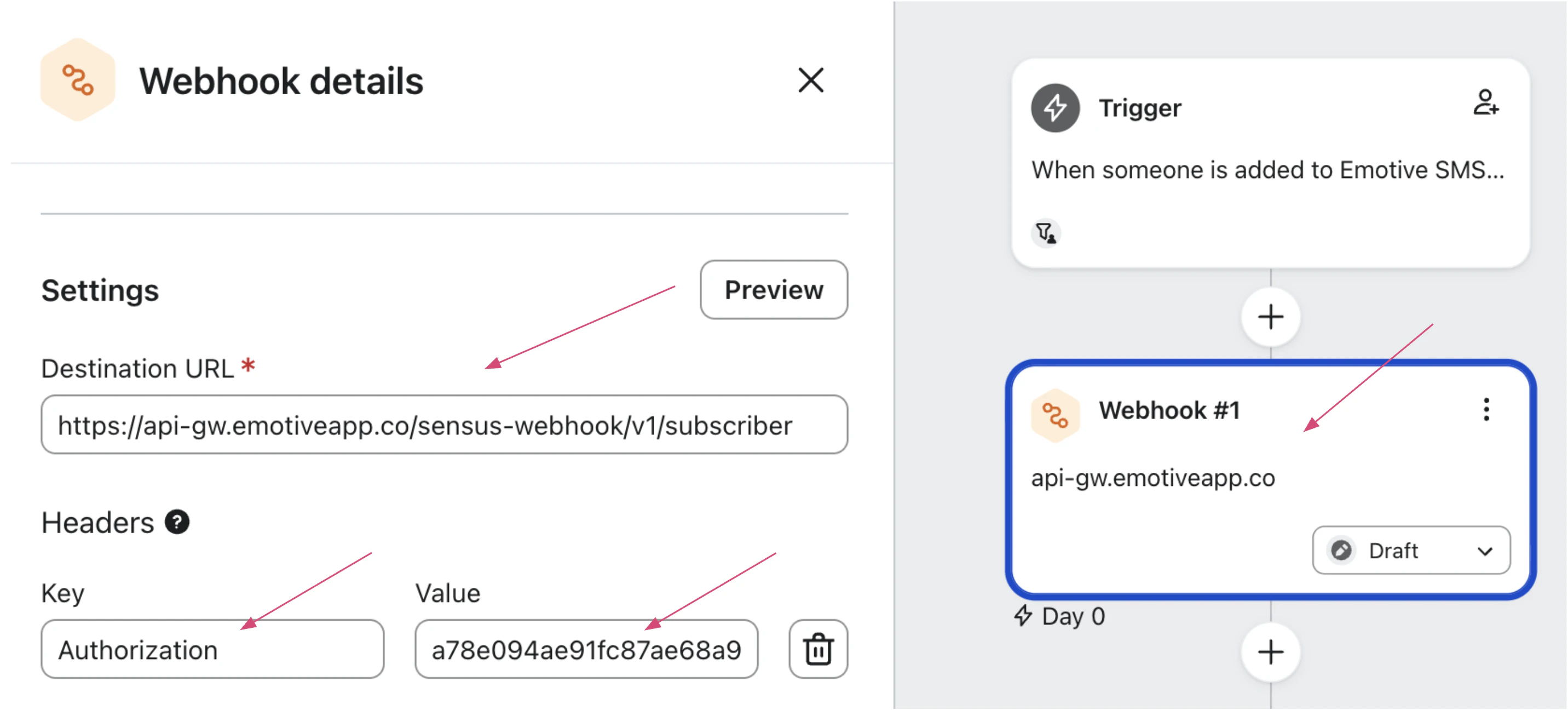
- Add the following Webhook to send data to Emotive.
- Enter the following Destination URL = https://api-gw.emotiveapp.co/sensus-webhook/v1/subscriber
- Add the following Header:
- Key = “Authorization”
- Value = “Token api_key”
- Type in your payload in JSON body replacing the “list_id” for the one found in Emotive:
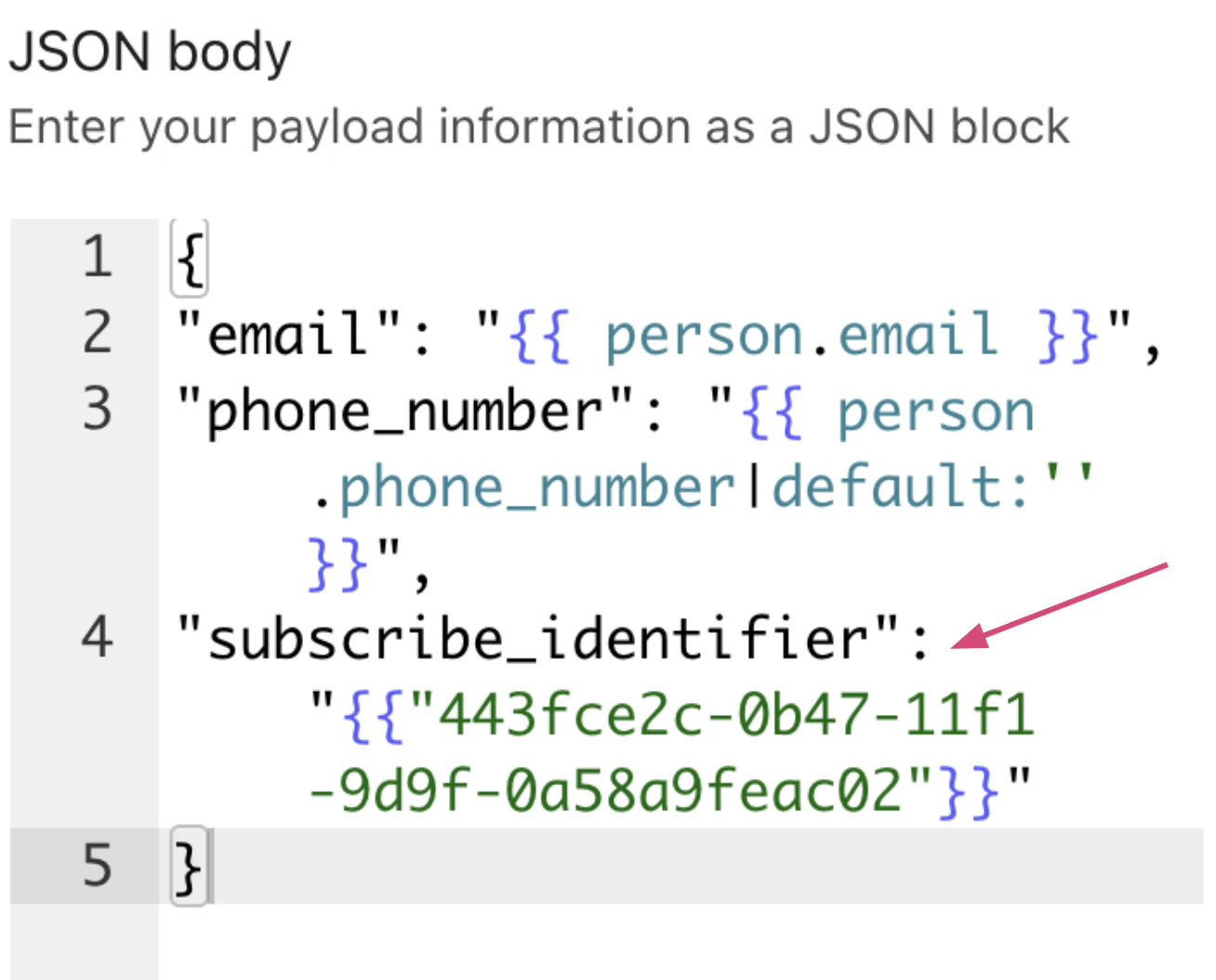
- Click Save and Activate your Flow so that it is live.
FAQs
I've selected a Klaviyo list/segment to sync, now what?
I've selected a Klaviyo list/segment to sync, now what?
After you select a Klaviyo List to sync, we’ll automatically create an Emotive segment on the Segments page under Third-Party Segments.
How often do segments automatically sync?
How often do segments automatically sync?
They typically sync every hour, but it could take up to four hours for larger lists. Our sync starts immediately after selecting a list from the integrations page. Our syncs happen at the top of the hour.
Can I still manually refresh in addition to the automatic refresh?
Can I still manually refresh in addition to the automatic refresh?
Currently, it is not possible to manually sync a list.
How many lists can we sync?
How many lists can we sync?
We have no limits to the number of lists you would like to sync.
Is there a segment list size limit?
Is there a segment list size limit?
No, although larger list sizes will take longer to sync with Emotive.
How does the sync work?
How does the sync work?
We scan a Klaviyo list and extract all profiles that include a phone number. We then look at your customer list in Emotive and create a list of customers that are in both systems. This list will be available as segment logic to be used in Broadcasts and Sequences.
Why do you only message customers that are matched in both systems?
Why do you only message customers that are matched in both systems?
Due to the state of SMS marketing from a legal perspective we need to be very careful who we message for legal compliance with TCPA. We will only message customers that have opted-in properly via Emotive to reduce liability exposure for your brand.
How do I increase the match rate between Emotive and Klaviyo?
How do I increase the match rate between Emotive and Klaviyo?
There are a few suggestions here. First, make sure that Klaviyo is integrated with your e-commerce platform so that customers that have consented to SMS marketing are added to both Emotive and Klaviyo. Second, if you already have a list of customers in Klaviyo that have phone numbers and have consented to marketing we can import them into Emotive.
Can Emotive sync Klaviyo segments and lists?
Can Emotive sync Klaviyo segments and lists?
Yes, Emotive will make both Klaviyo segments and lists available to sync.