

Set up Smart Reply
To get started:- Head to the Smart Reply page in your Settings.
- Select any of the available topics:
- Greetings
- Discount Code
- Shipping
- Returns
- Click Set up to customize the response templates.
Smart Reply topics are based on the most common customer questions and responses we see coming through the Emotive platform.
- Each topic has sample language for you to use. Edit each response to fit your brand voice and policies.
- Click to toggle ON the topics / responses you want to use.
- Once you’re happy with your edits, click Activate.
Managing your Smart Reply
To check on the statuses of your Smart Replies:- Head to the Smart Reply page in your Settings.
- View which Smart Replies are active with the purple badge next to the topic.
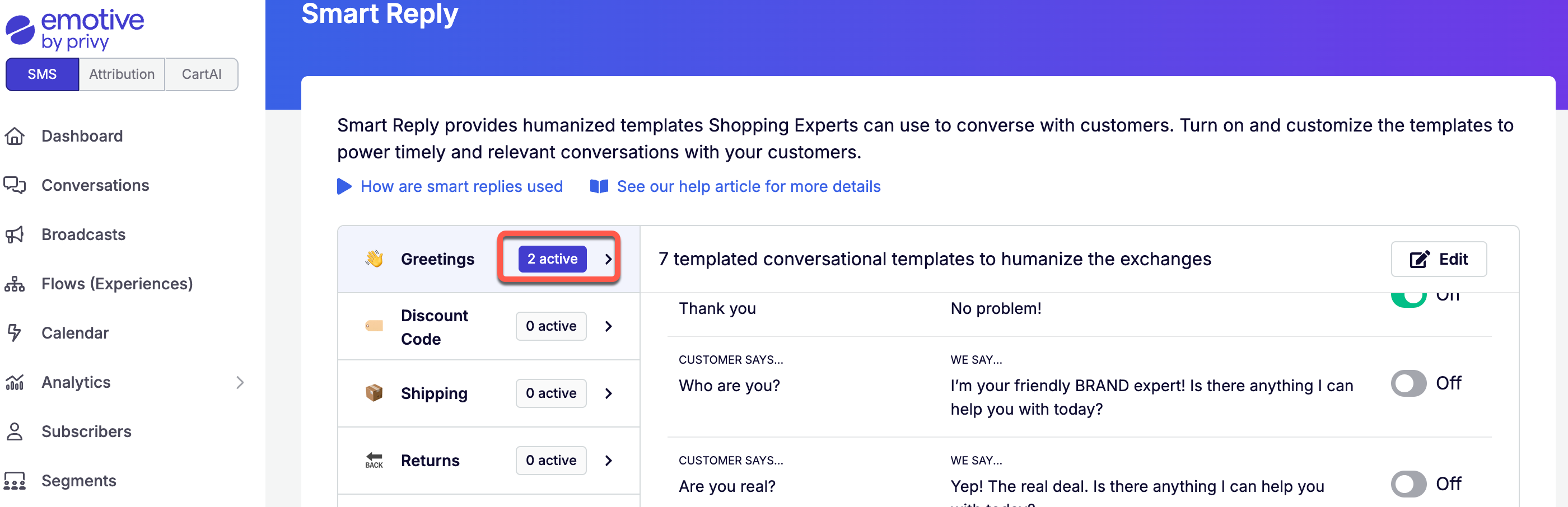
- Click into the desired topic on the left.
- Click Edit to change your responses.
- Toggle OFF responses that you no longer want to use.
- Save your changes.