Create your API Keys in Customer.io
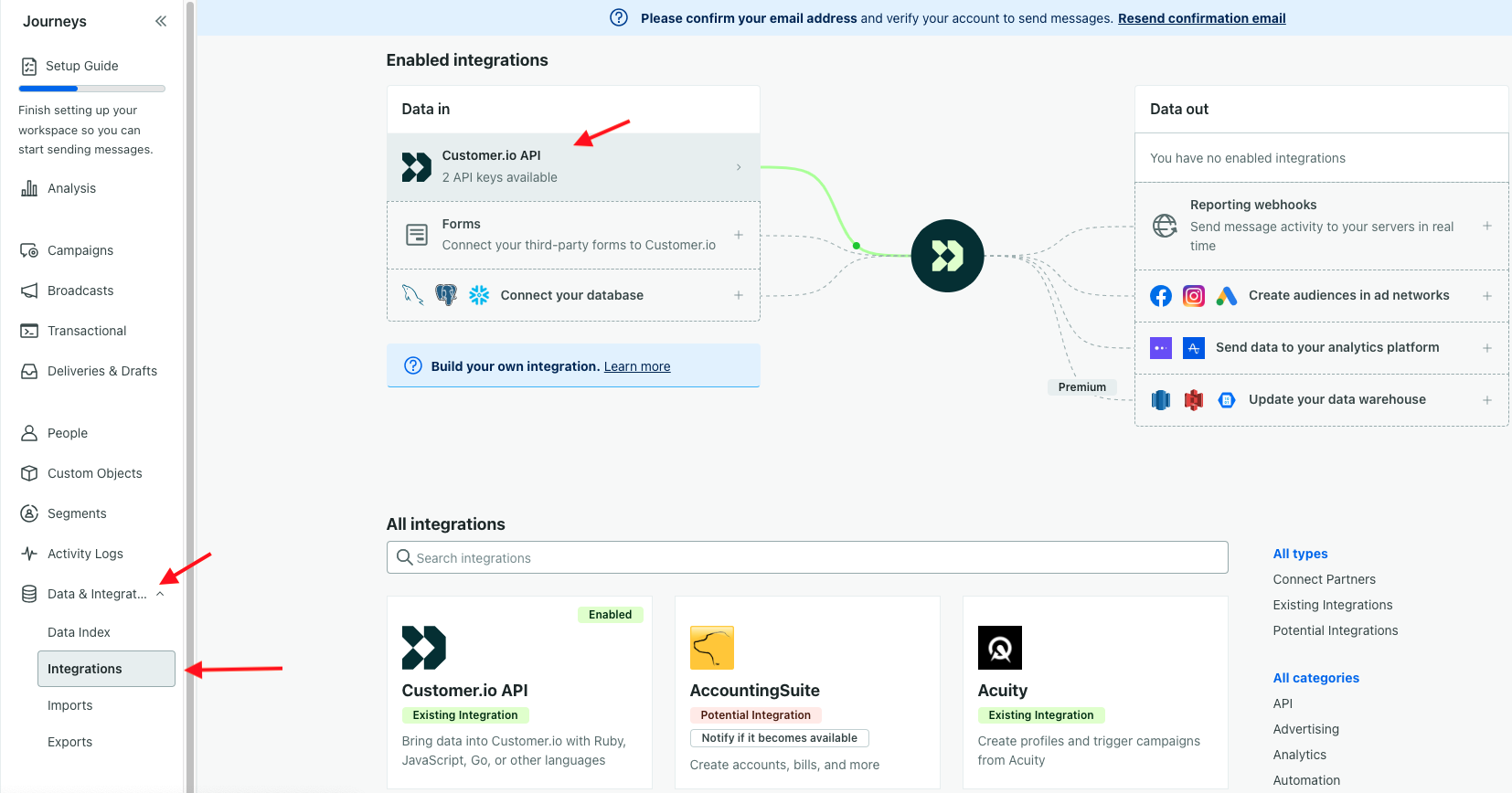
- Log into your Customer.io account and navigate to Journeys.
- Select Data & Integrations > Integrations.
- Under Data in > Select Customer.io** API**.
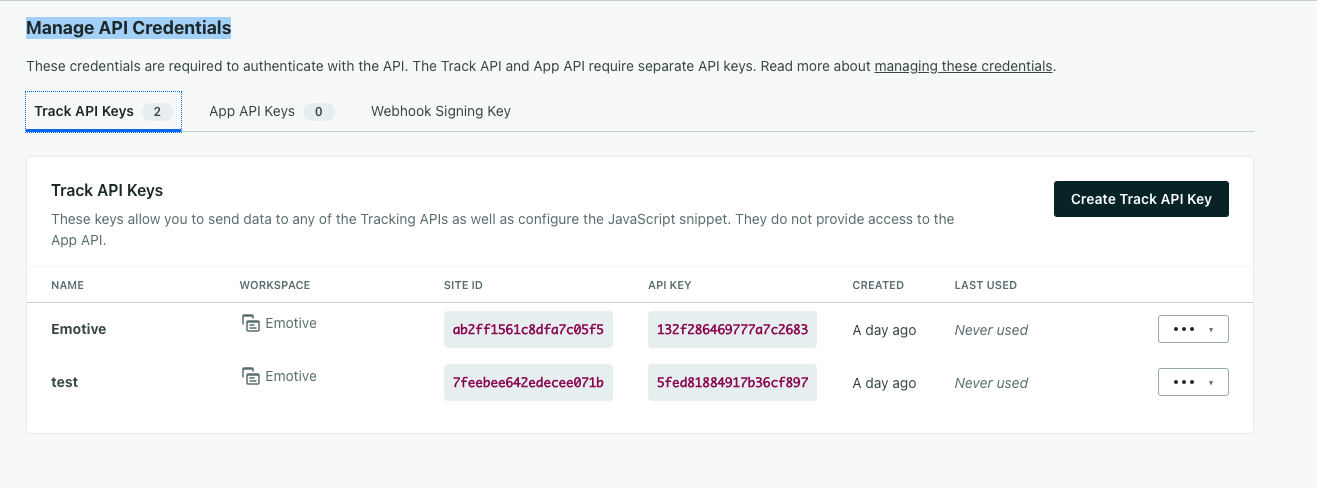
- Select Manage API Credentials.
- Click Create Track API Key. Name your new tracking API Key “Emotive”.
- Copy the Site ID for Emotive Integration.
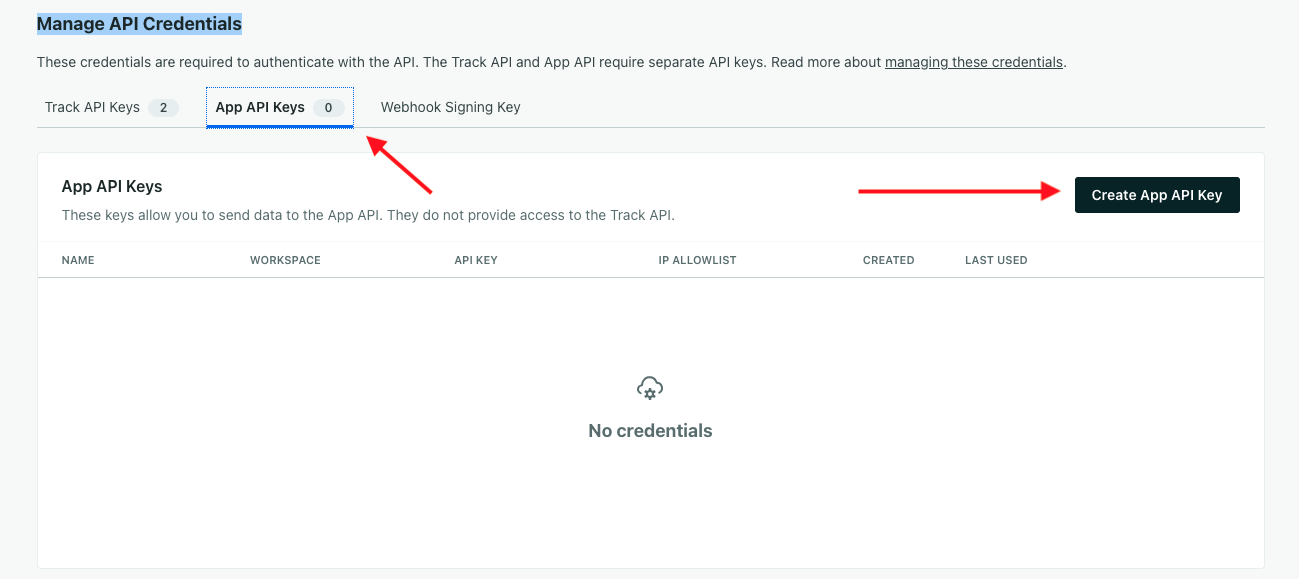
- Navigate to App API Keys.
- Click Create App API Key.
- Copy the key created for your Emotive Integration.
- Navigate to Integrations.
- Locate Customer.io and select Add Integration.
- Select Install.
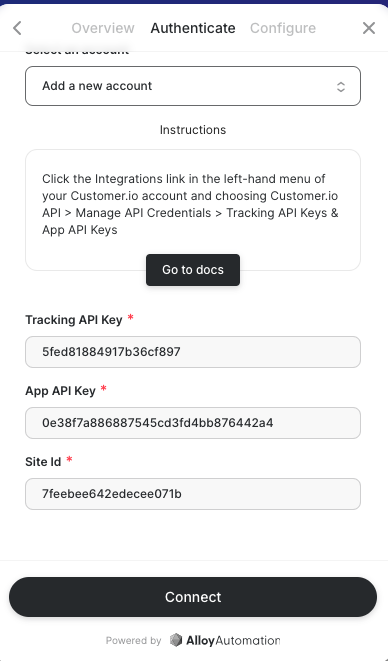
- Input the following credentials that you just created in Customer.io:
- Tracking API Key
- App API Key
- Site Id
- Select Connect to complete the integration.