

Create Properties in Hubspot
Before you install Hubspot in Emotive, you’ll want to create 2 properties in Hubspot. To get started:- Log into Hubspot and navigate to Settings > Data Management > Properties.
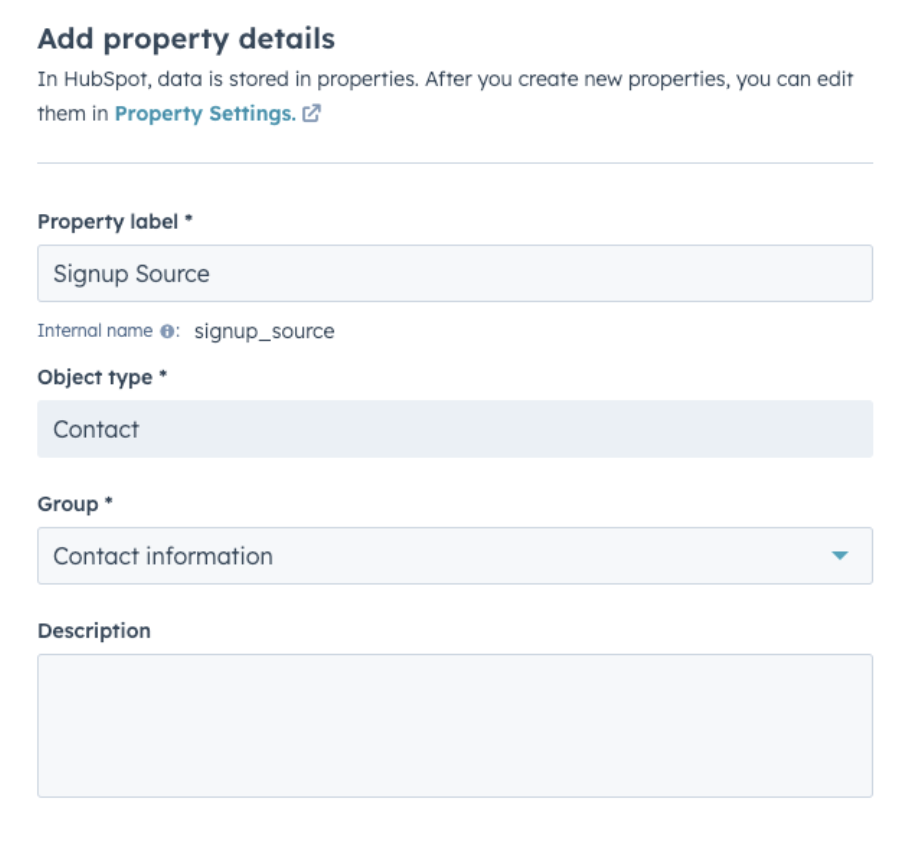
- Create your first property:
- Name = Signup Source
- Group = Contact Information
- Field Type = Single-line text
- Create your second property:
- Name = Source.=
- Group = Contact Information
- Field Type = Single-line text
Connect your Hubspot Account
Next, you’ll want to install Hubspot in Emotive.- Navigate to Integrations in your Emotive dashboard.
- Locate Hubspot and select Add Integration.
- Select Install.
- Click **Finish **to complete the installation.
Sync Signups to Hubspot
- Navigate to your Popups in your Emotive dashboard.
- Head to the Configure step of the desired popup.
- Select Hubspot from your integrations and Save.